
Milestone Electronics
VGA Audio Switcher
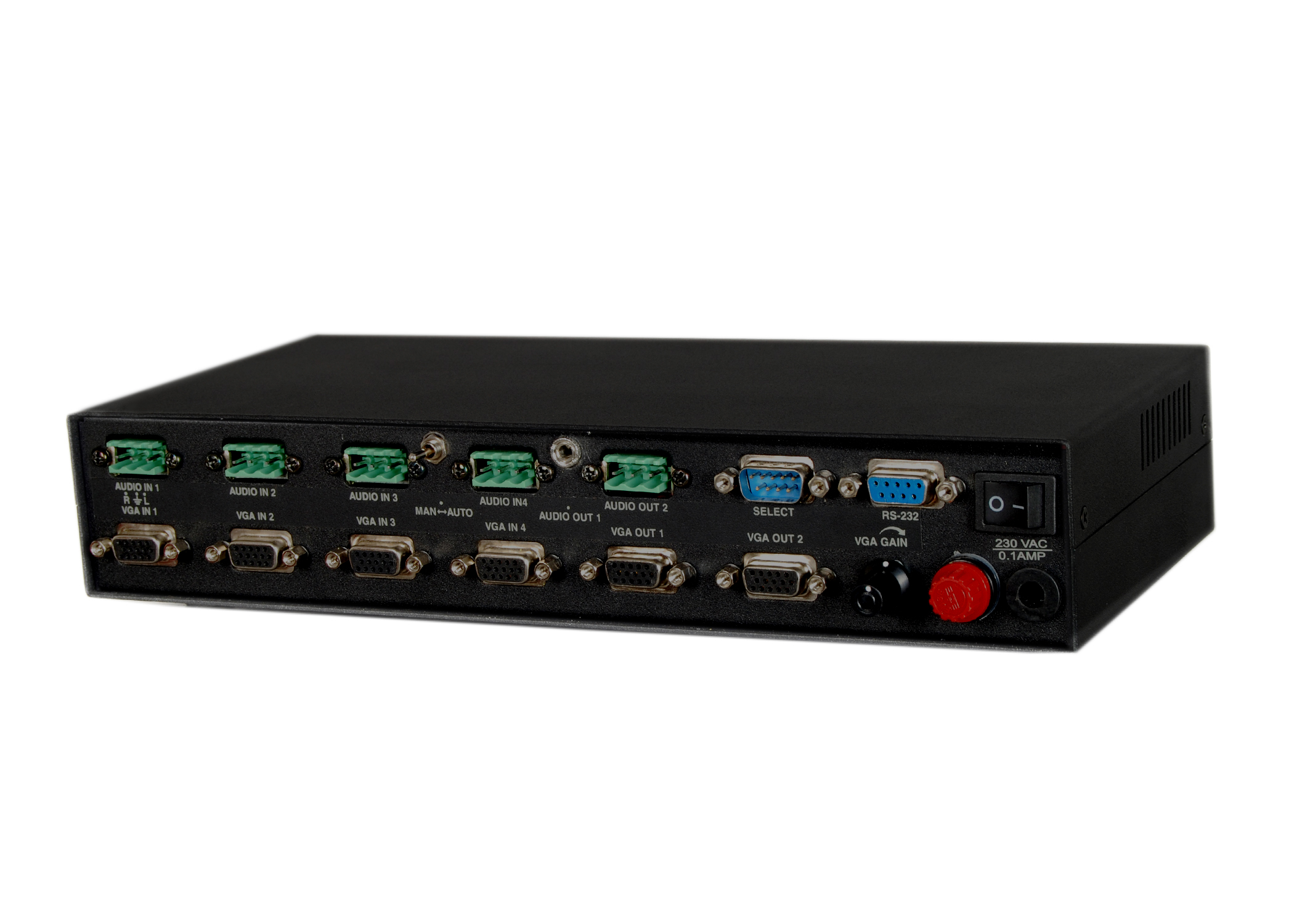
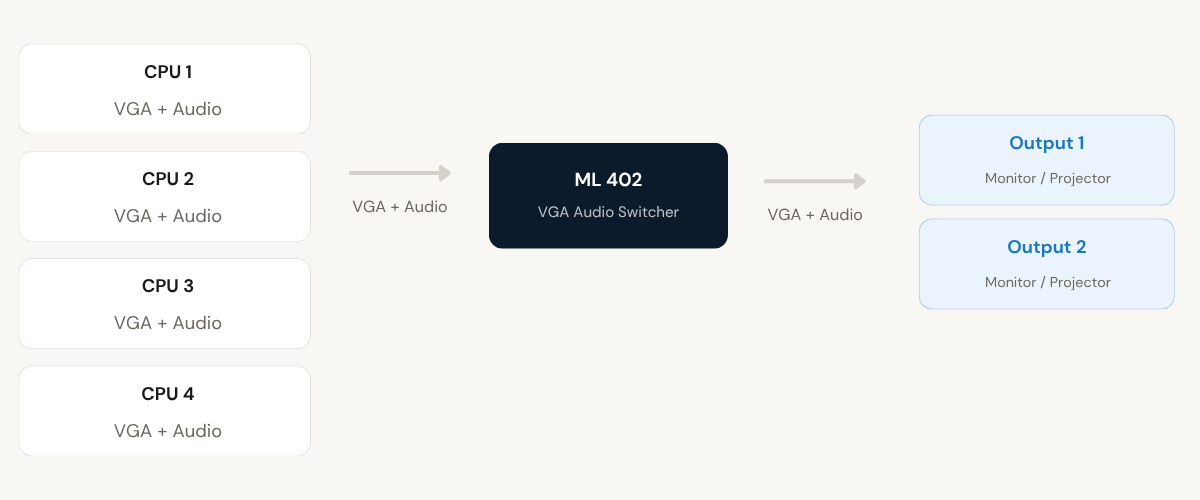
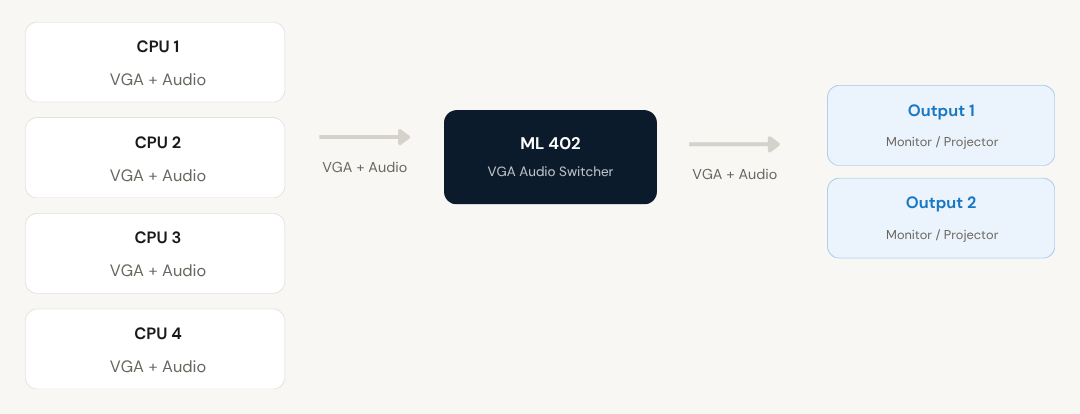
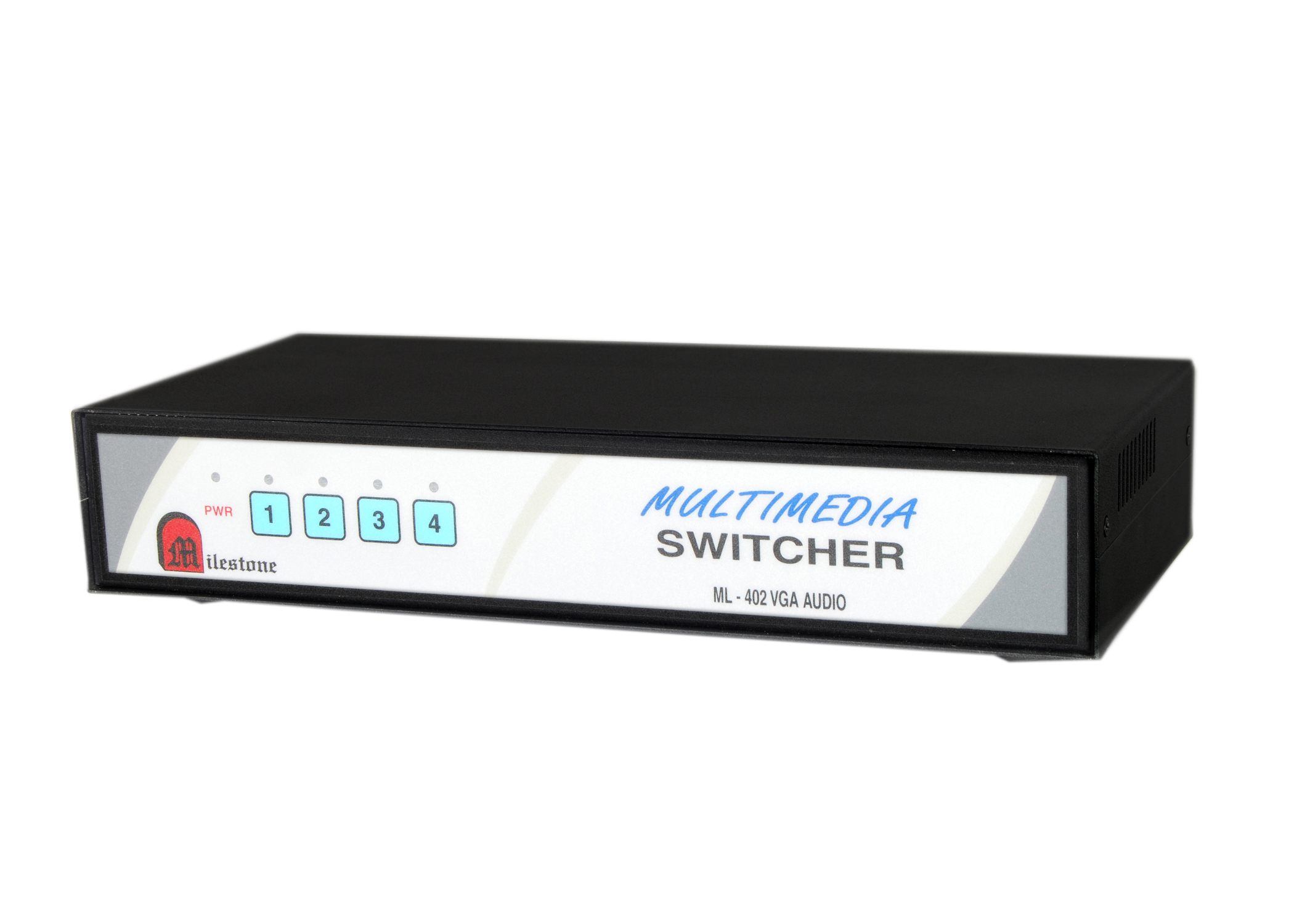
The ML 402 VGA Audio Switcher allows 4 computers or laptops to share 2 VGA outputs and 2 stereo audio outputs simultaneously. Channel selection is available via front panel keypad, remote keypad, RS232C interface, and contact closure, with gain-controlled output for optimal display performance.
- Connects 4 CPUs to 2 VGA monitors or projectors with simultaneous display
- Stereo audio output on O/P1 with gain-controlled VGA and audio output on O/P2
- Channel selection via front panel keypad, remote keypad, RS232C, or contact closure
- Auto scan mode cycles through active PCs or all connected PCs regardless of status
- Auto mode operates on priority basis, selecting the highest-priority active channel
Max Resolution
1080p Full HD
Audio Input
Stereo Analogue
Output
Single HDMI
- In-house manufactured
- 2,000+ clients served
Product Overview
What the ML 402 VGA Audio Switcher delivers
The ML 402 VGA Audio Switcher is designed for environments where multiple computers or laptops need to share display and audio equipment. It accepts VGA and stereo audio signals from up to 4 connected CPUs and distributes them to 2 VGA outputs and 2 stereo audio outputs simultaneously, eliminating the need to physically reconnect cables when switching between sources.
The unit is fully compatible with VGA, SVGA, and EVGA monitors, as well as standard PC stereo audio output. Gain-controlled VGA output ensures optimal video quality at each connected display. O/P2 also includes gain-controlled audio output, while O/P1 provides a standard normal stereo output.
Channel selection is flexible. Operators can switch inputs from the front panel keypad, a remote keypad connected at a distance of up to 30 metres, RS232C serial interface, or contact closure. An optional RS422/RS485 interface is also available. LED indicators on the front panel show which channel is currently active.
Two automated operating modes are included. In scan mode, the switcher cycles through active PCs at 5-second intervals, or can be configured to scan all connected inputs regardless of whether the PC is powered on. Auto mode selects channels based on priority, automatically choosing the highest-priority input where a sync signal is detected.
CPU Inputs
Need a quote?
Our team responds within 24 hours with a tailored quote for your project or bulk order.
Key Features
Multi-source VGA and audio sharing with flexible control
Connects 4 CPUs to 2 VGA displays and 2 stereo audio outputs with gain-controlled output, multiple selection methods, and automated switching modes.
4-CPU to Dual VGA Output Sharing
Connects up to 4 CPUs or laptops to 2 VGA monitors or projectors, providing simultaneous display output. Fully compatible with VGA, SVGA, and EVGA monitors.
- 4 D15F VGA input connectors
- 2 D15F VGA output connectors
- Compatible with VGA, SVGA, and EVGA monitors
Stereo Audio Output with Gain Control
Each input carries stereo audio alongside the VGA signal. O/P1 provides standard normal stereo output, while O/P2 provides gain-controlled audio output for optimal audio performance at the second display location.
- 4 stereo audio inputs via 3-pin captive screw connectors
- Standard stereo output on O/P1
- Gain-controlled audio output on O/P2
Gain-Controlled VGA Output
Both VGA outputs feature gain control, ensuring optimal viewing conditions at each connected display. This compensates for signal variation across different source devices and cable lengths, delivering consistent image quality.
- Gain control on both VGA output ports
- Ensures consistent image quality across displays
- Suitable for both monitors and projectors
Multiple Channel Selection Methods
Channel switching is supported through four independent methods, giving operators full flexibility in how they control the switcher from the installation location or remotely.
- Front panel keypad for local selection
- Remote keypad or contact closure via D9 male connector (up to 30 m)
- RS232C serial interface (D9 female, 9600 baud, 8-bit, no parity, 1 stop bit)
Auto Scan and Auto Mode
Scan mode cycles through connected channels at 5-second intervals, either detecting only active PCs or scanning all channels regardless of power status. Auto mode assigns priority to channels and automatically selects the highest-priority source with an active sync signal.
- Scan mode: 5-second interval per channel
- Scan all connected inputs by shorting D9 select pins
- Auto mode: priority-based selection, Channel 1 highest priority
RS232C Feedback and LED Indication
When a channel is selected via RS232C, the switcher sends a confirmation signal back on pin 2 of the D9 female connector, confirming the active channel. Front panel LEDs show the currently selected input and power status at all times.
- RS232C feedback: switcher returns channel code on selection
- LED indicators for channels 1 to 4 and power
- Plug and play installation, no software required
Installation
Manual, scan, and auto operating modes
The ML 402 VGA Audio Switcher supports three operating modes: manual selection, auto scan, and priority-based auto switching. The mode is selected using the slide switch on the unit.
01
Manual Mode
Set the slide switch to the manual position. Select the required channel from the front panel keypad, or use Milestone's remote keypad connected to the D9 male connector at the rear panel (operational up to 50 metres). Channel selection is also possible via RS232C interface using the D9 female connector. Communication parameters are 9600 baud, no parity, 8-bit, 1 stop bit. To select a channel via contact closure, short the corresponding pin of the D9 male connector to pin 9 (GND). For example, short pin 1 and pin 9 to select Channel 1.
02
Scanning Mode
Set the slide switch to the scan position. The switcher cycles through channels at 5-second intervals. In the default scan mode, only active PCs are scanned. To scan all connected inputs regardless of their power status, short all pins of the D9 male connector designated as SELECT (pins 1 to 9 using a D9 female connector). This is useful in environments where all channels should cycle continuously even when some CPUs may be idle.
03
Auto Mode
Set the slide switch to the auto position. The switcher selects channels based on priority. Channel 1 has the highest priority, Channel 2 the second, and so on. If sync signals are detected simultaneously on multiple inputs, the lowest-numbered channel takes precedence. A lower-priority channel is selected only when all higher-priority channels are deactivated. This mode is suitable for setups where a primary source should always take precedence when active.
04
Cable Connections
VGA inputs and outputs use standard VGA cables with D15F connectors. Audio inputs and outputs use standard stereo audio cables as used with PCs, connected to 3-pin captive screw connectors on the unit. The remote keypad or contact closure connects to the D9 male connector at the rear panel. The RS232C interface connects to the D9 female connector. The unit operates on 230 V AC mains power.
Where the ML 402 VGA Audio Switcher performs
Designed for professional environments where multiple computers need to share projectors, monitors, and audio systems without repeated cable changes.
Corporate Boardrooms and Meeting Rooms
Multiple presenters can connect their laptops or desktops to the switcher and share a common projector and audio system. Switching between presenters is quick and does not require cable changes at the display.
Classrooms and Training Centres
Instructors and trainees can each connect their computers to the switcher. The trainer can switch between their own machine and a student's computer to demonstrate or review content on the shared projector or monitor.
Control Rooms and Command Centres
Operators managing multiple workstations can route VGA and audio output from any of the connected CPUs to monitoring displays. Priority-based auto mode ensures the most critical source is always displayed when active.
Broadcast and Presentation Studios
In studio environments where multiple source computers feed a common output display or audio system, the ML 402 allows seamless switching between sources. RS232C control enables integration with third-party control systems used in broadcast setups.
Event and Exhibition Setups
For temporary event or exhibition installations where multiple computers must share a single projector and PA audio feed, the scan mode allows automatic cycling through active sources, keeping displays and audio updated without manual intervention.
Multi-Station Demonstration Areas
Product demonstration areas or showrooms with multiple demonstration computers can use the ML 402 to direct output to a central display. Auto mode ensures the first active demonstration computer takes the screen automatically when powered on.
Full specification sheet
- Model Identification
- Input Connectors
- Output Connectors
- Video Performance
- Control Interfaces
- Operating Modes
- Indication
- Physical
FAQs about the ML 402 VGA Audio Switcher
How many computers can be connected to the ML 402 VGA Audio Switcher?
The ML 402 VGA Audio Switcher accepts up to 4 computers or laptops simultaneously. Each input carries both VGA and stereo audio signals. The unit distributes the selected input to 2 VGA outputs and 2 stereo audio outputs at the same time, allowing a single active source to appear on two displays and two audio outputs simultaneously.
What methods can be used to switch between channels?
The ML 402 supports four channel selection methods. Channels can be selected from the front panel keypad on the unit itself, from Milestone’s remote keypad or any compatible contact closure device connected to the D9 male connector at the rear panel (operational at up to 30 metres), and via RS232C interface through the D9 female connector. An optional RS422/RS485 interface is also available.
How does auto scan mode work?
In scan mode, the switcher cycles through connected channels at 5-second intervals. By default, it scans only inputs where an active PC is detected. To force scanning across all inputs regardless of whether the connected PC is powered on, all pins of the D9 male SELECT connector at the rear panel should be shorted together using a D9 female connector (pins 1 through 9). This forces the unit to include all channels in the scan cycle.
What is the difference between scan mode and auto mode?
Scan mode cycles through channels sequentially at a fixed 5-second interval per channel, either for active PCs only or for all connected inputs. Auto mode does not cycle. Instead, it monitors all inputs and selects the highest-priority channel where a sync signal is currently detected. Channel 1 has the first priority, Channel 2 the second, and so on. A lower-priority channel is only selected when all higher-priority channels are inactive. Auto mode is well suited for setups where a primary source should always be displayed when it is active.
How does RS232C channel control work?
The RS232C interface uses the D9 female connector at the rear panel, with pin 3 as Rx and pin 5 as GND. Communication parameters are 9600 baud, no parity, 8-bit data, and 1 stop bit. To select Channel 1, send the ASCII command “1!” (decimal 31, 21). Channel 2 uses “2!” and so on up to Channel 4. The switcher sends a confirmation response back on pin 2 of the D9 female connector, returning the channel code that was selected. This feedback mechanism allows external control systems to confirm that the command was received and acted upon.
Is the audio output the same on both outputs?
The two audio outputs are not identical. O/P1 provides a standard normal stereo output from the selected input. O/P2 provides a gain-controlled stereo audio output, which is adjusted for optimal audio performance at the second output. Both outputs carry stereo audio signals using standard stereo audio cables as used with PCs, connected through 3-pin captive screw connectors.
What types of monitors and cables are compatible with this switcher?
The ML 402 is fully compatible with VGA, SVGA, and EVGA monitors, as well as projectors that accept VGA input. Standard VGA cables are used for all VGA inputs and outputs. For audio, standard stereo audio cables as used with PCs are required for both inputs and outputs. No proprietary or specialist cables are needed, making the unit straightforward to integrate into existing setups.
Can the switcher be controlled from a remote location during a presentation?
Yes. The rear panel includes a D9 male connector for remote keypad or contact closure connection, which is operational at distances of up to 30 metres from the unit. Milestone’s remote keypad can be connected here, allowing a presenter or operator standing away from the switcher to select the required input channel without returning to the unit itself.
Products you may also need
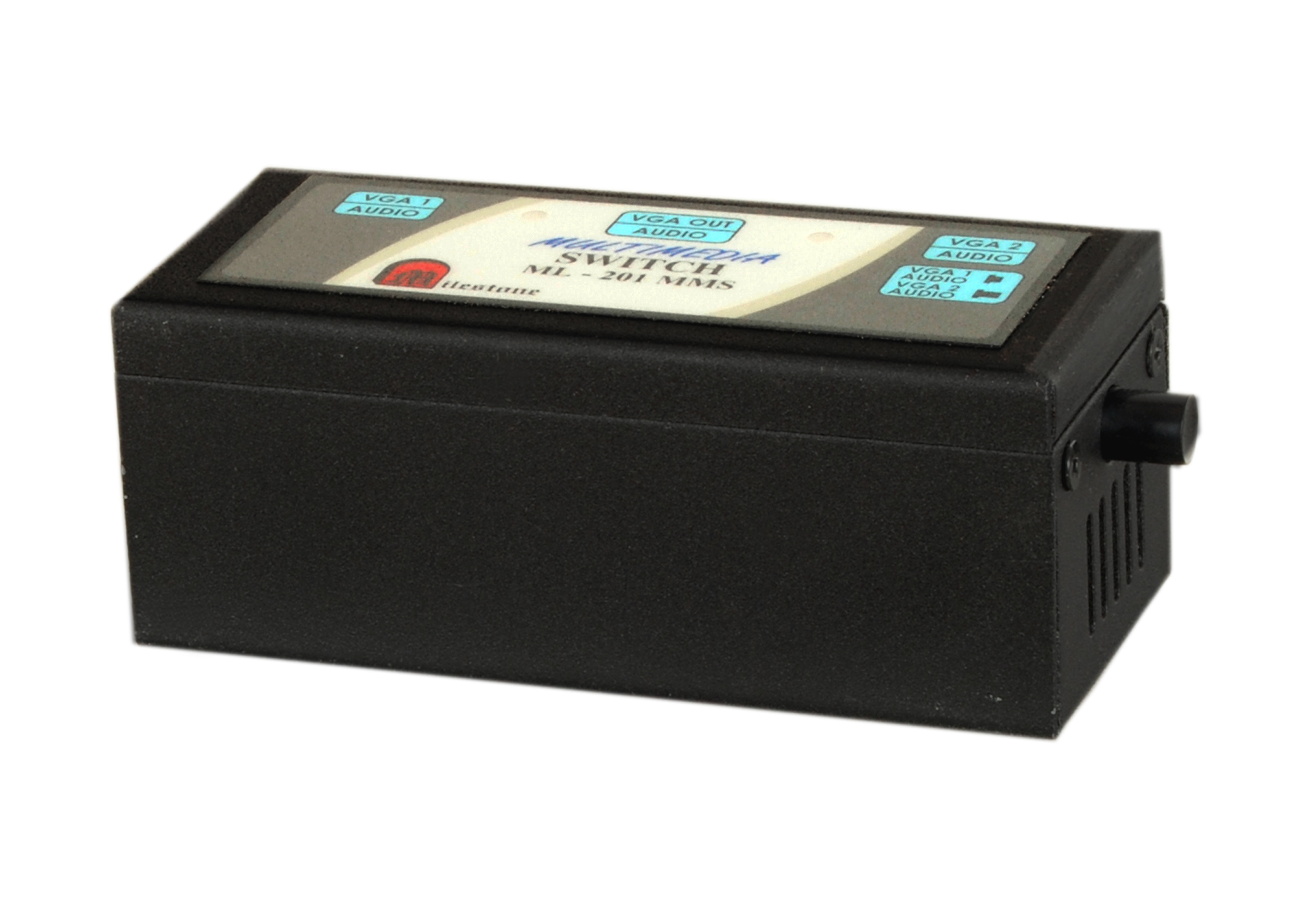
Milestone's VGA/Audio Switcher ML 201MMS allows two computers or laptops to share a single...
Ready to order or have a specific requirement?
Our team responds within 24 hours. Bulk pricing, custom solutions, and pan-India delivery are available. Talk to an engineer directly about your setup.