
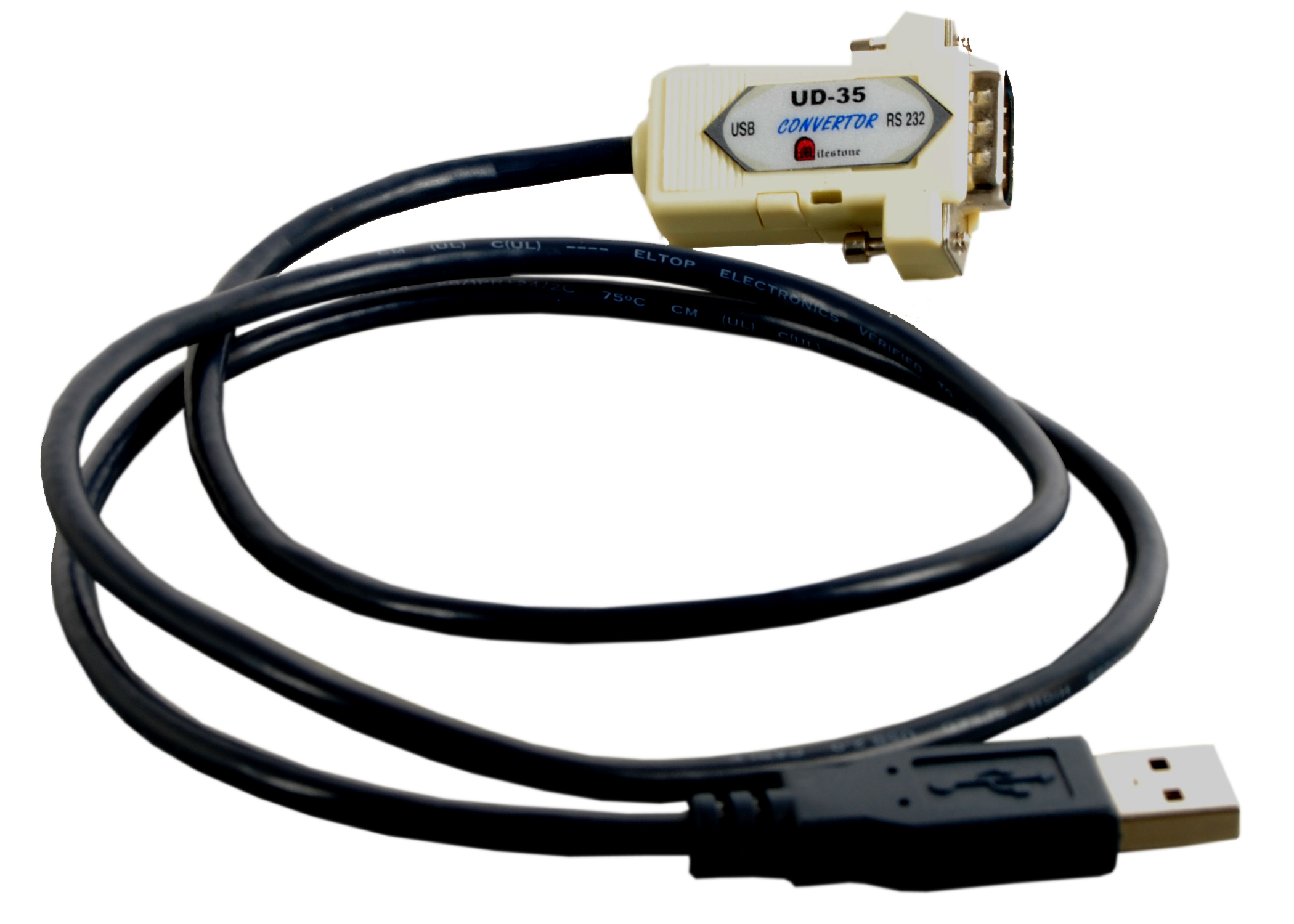
Serial Converter Series
USB to RS232 Converter, Cable Type, Non-Isolated
The Milestone UD-35 is a USB 2.0 to RS232 converter designed for high-speed data transmission between a computer’s USB port and peripherals or other devices equipped with an RS232 interface.
- USB 2.0 compliant input with RS232 D9 Male connector output
- Supports baud rates from 300 bps up to 921.6 Kbps
- 512-byte receive and transmit buffers for reliable data handling
- X-On / X-Off handshake protocol supported
- Bus-powered directly through the USB port, no external supply required
Max Resolution
1080p Full HD
Audio Input
Stereo Analogue
Output
Single HDMI
- In-house manufactured
- 2,000+ clients served
Product Overview
What makes the UD-35
The Milestone UD-35 is a USB 2.0 to RS232 converter built for reliable, high-speed serial communication between a host computer and RS232-equipped peripherals or devices. It bridges the USB port of a modern PC to legacy and industrial RS232 interfaces using a D9 Male connector output.
The converter supports a wide baud rate range from 300 bps to 921.6 Kbps, covering both low-speed legacy devices and faster serial communication requirements. Data format is fixed at 8 data bits with 1 stop bit, and parity can be configured as odd, even, or none to match the target device’s requirements.
The UD-35 includes 512-byte receive and transmit buffers to accommodate data bursts and prevent communication errors during high-throughput transfers. X-On / X-Off software handshaking is supported to manage flow control between the host PC and the connected RS232 device.
The unit is entirely bus-powered through the USB port, eliminating the need for an external power supply. Installation creates a Virtual COM Port on the host computer, allowing existing software that communicates over serial ports to work with the UD-35 without modification.
Input Interface
Need a quote?
Our team responds within 24 hours with a tailored quote for your project or bulk order.
Key Features
Built for dependable USB to RS232 conversion
USB 2.0 input. RS232 D9 Male output. Wide baud rate range, dual 512-byte buffers, and bus-powered operation in a compact converter unit.
USB 2.0 to RS232 Interface Conversion
The UD-35 translates the USB 2.0 protocol from the host computer into a standard RS232 serial signal output via a D9 Male connector, enabling communication with a wide range of RS232-equipped industrial and peripheral devices.
- USB 2.0 compliant input
- RS232 D9 Male output connector
- Full RS232 signal support including DCD, RXD, TXD, DTR, DSR, RTS, CTS, RI
Wide Baud Rate Range
The converter supports baud rates from 300 bps to 921.6 Kbps, accommodating both slow legacy serial devices and faster industrial communication equipment without requiring separate hardware for different applications.
- Minimum baud rate: 300 bps
- Maximum baud rate: 921.6 Kbps
- Suitable for low-speed and high-speed RS232 devices
Configurable Data Format and Parity
The data format is set at 8 data bits and 1 stop bit, with user-selectable parity options. This ensures compatibility with the communication parameters of a broad range of RS232 devices used in industrial and commercial environments.
- Data bits: 8
- Stop bits: 1
- Parity: Odd, Even, or None
512-Byte Transmit and Receive Buffers
Dedicated 512-byte buffers on both the transmit and receive paths allow the converter to handle data bursts smoothly and maintain communication reliability without data loss during high-throughput transfers.
- Receive buffer: 512 bytes
- Transmit buffer: 512 bytes
- Reduces risk of data loss during burst transmissions
X-On / X-Off Software Handshake
The UD-35 supports X-On / X-Off software flow control, enabling the host computer and the connected RS232 device to regulate data flow and prevent buffer overruns during communication sessions.
- X-On / X-Off handshake protocol supported
- Manages data flow between PC and RS232 device
Bus-Powered Operation
The converter draws its operating power entirely from the USB port of the host computer. No external power adapter is required, simplifying installation and reducing cabling in space-constrained environments.
- Powered directly through the USB port
- No external power supply needed
- Suitable for desktop and laptop installations
Installation
Simple driver-based installation on Windows
The UD-35 installs as a Virtual COM Port on Windows systems, enabling existing serial communication software to work without modification. Driver installation is required only once per system.
01
Connect and Initiate Driver Setup
Plug the UD-35 into the USB port of the PC using a USB A-A cable. The system will detect the device and begin automatic driver installation. Insert the ML-U485 Driver CD supplied with the unit when prompted.
02
Complete Driver Installation
Follow the on-screen instructions during driver setup. Once the message "MLU485 installed successfully" is displayed, click OK to confirm. This installs the Virtual COM Port driver and USB bridge required for converter operation. This step is required only once or after uninstallation.
03
Verify Virtual COM Port in Device Manager
After driver installation, open Device Manager on the host PC and confirm that the Virtual COM Port has been installed successfully. Check port properties including baud rate and buffer size to ensure the settings match the connected RS232 device requirements.
04
Connect RS232 Device and Begin Communication
Connect the target RS232 device to the D9 Male output connector using an appropriate RS232 cable. The system is now ready for serial communication between the PC and the external RS232 device through the Virtual COM Port.


Where the UD-35 performs
Designed for environments where USB-equipped computers must communicate with RS232-based devices across industrial, commercial, and institutional settings.
Factory Automation
Connect a PC to factory automation equipment with RS232 interfaces. The UD-35 allows computers without native serial ports to communicate directly with automated production line systems and control hardware.
Programmable Logic Controllers
Interface a host PC with PLCs using the RS232 serial port for programming, monitoring, and diagnostics. The converter provides a reliable USB to RS232 bridge for industrial control system integration.
Attendance Recording Systems
Connect USB-equipped computers to RS232-based biometric or card attendance terminals. The UD-35 enables data collection and management software to communicate with existing attendance hardware without hardware replacement.
Barcode Readers
Interface RS232 barcode scanners with modern USB-only computers in warehousing, retail, and logistics applications. The converter allows barcode reader data to be received on a Virtual COM Port by inventory and tracking software.
Remote Data Transmission
Enable serial data transmission between a PC and remote terminals or data acquisition devices. The UD-35 supports baud rates up to 921.6 Kbps, providing sufficient throughput for remote monitoring and data logging applications.
EPABX Systems
Connect a PC to EPABX telephone exchange equipment via the RS232 interface for configuration and call management. The UD-35 enables communication between modern USB-equipped computers and legacy EPABX hardware.
Full specification sheet
- Input Interface
- Output Interface
- Data Format
- Communication
- Power
- USB Port Pin Description
- RS232 D9 Male Connector Pin Description
- Kit Contents
- System Requirements
FAQs about the UD-35
What is the purpose of the UD-35?
The UD-35 is a USB 2.0 to RS232 converter designed to enable high-speed data transmission between a PC’s USB port and external devices or peripherals that use an RS232 serial interface. It is intended for use in industrial automation, attendance systems, barcode reading, remote data transmission, remote terminals, and EPABX applications.
What operating system is supported for the UD-35?
The UD-35 is designed for use with PCs running the Windows operating system. The installation requires the ML-U485 driver included on the CD supplied with the unit. Alternatively, the firmware and driver can be downloaded from www.milestone.co.in.
How is the UD-35 installed?
Connect the UD-35 to a PC USB port using a USB A-A cable. The device will initiate automatic driver installation. Insert the ML-U485 Driver CD provided and follow the on-screen instructions until the confirmation message “MLU485 installed successfully” appears. Driver installation is required only once per system, or again after uninstallation. After installation, verify that a Virtual COM Port appears in Device Manager and confirm the port properties such as baud rate and buffer size.
What baud rates does the UD-35 support?
The UD-35 supports baud rates ranging from 300 bps to 921.6 Kbps, covering both low-speed legacy serial devices and higher-speed industrial equipment. The baud rate can be configured through the Virtual COM Port properties in Windows Device Manager to match the target RS232 device.
How do I uninstall the UD-35 drivers?
To uninstall the driver, run the CYG_UNINSTALL utility from the CD supplied with the unit. A guided uninstallation screen will appear and walk through the removal process. Once uninstalled, the Virtual COM Port will be removed from Device Manager.
Does the UD-35 require an external power supply?
No. The UD-35 is entirely bus-powered through the USB port of the host computer. No external power adapter or additional cabling is required for operation, making it straightforward to deploy on both desktop and laptop systems.
What flow control method does the UD-35 use?
The UD-35 supports X-On / X-Off software handshaking for flow control. This protocol allows the PC and the connected RS232 device to signal each other when to pause or resume data transmission, preventing buffer overruns and ensuring reliable communication during high-throughput sessions.
What is a Virtual COM Port and why is it needed?
A Virtual COM Port is a software-emulated serial port created by the UD-35 driver on the host PC. It allows existing applications and software that communicate via standard COM ports to interact with the UD-35 as though it were a hardware serial port. This means no modification to existing serial communication software is required after installing the UD-35.
Products you may also need
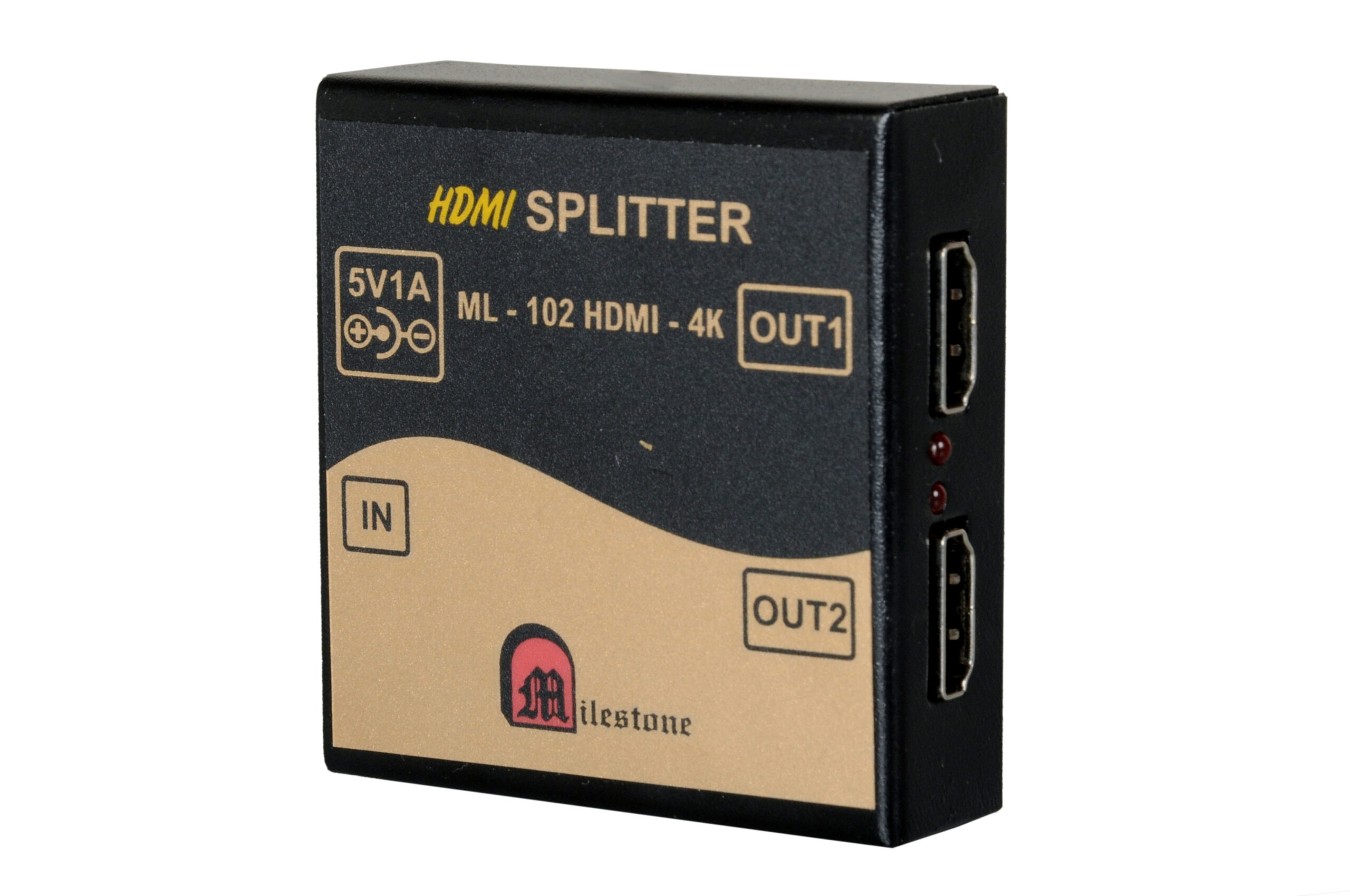
The ML-102HDMI-4K is a professional 1x2 HDMI splitter that distributes a single HDMI source...
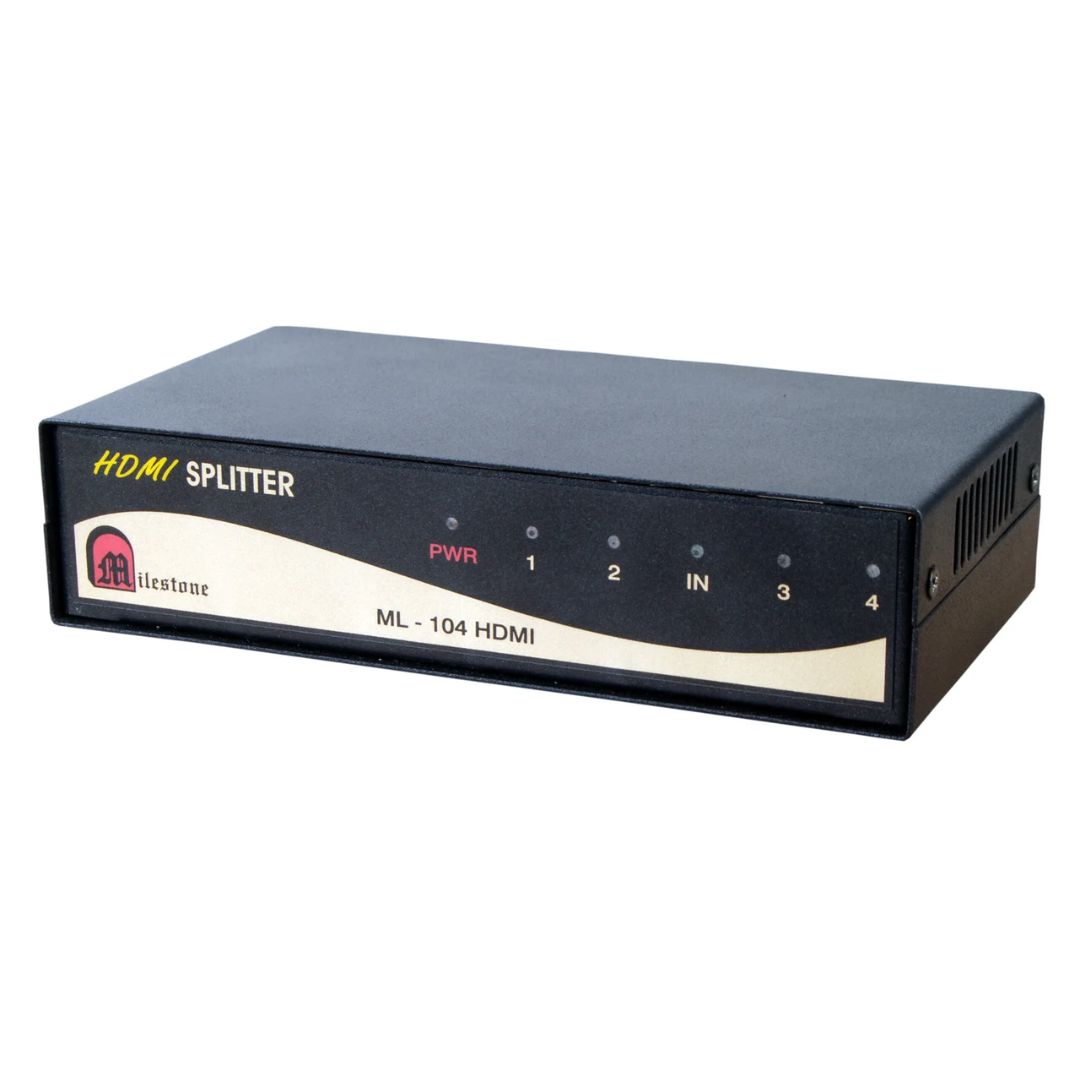
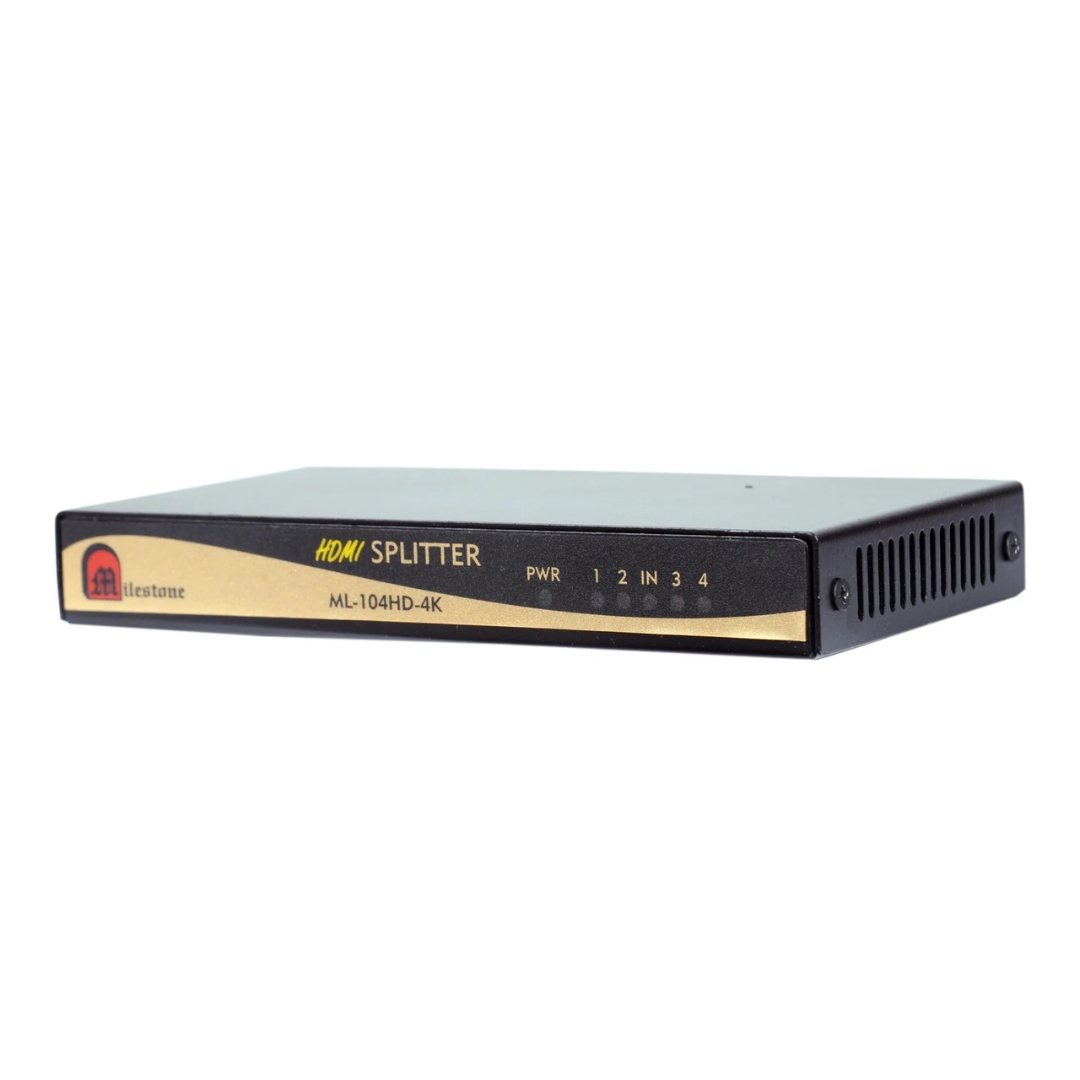
The ML-104HDMI-4K is a professional 1x4 HDMI splitter that distributes a single HDMI source...
Ready to order or have a specific requirement?
Our team responds within 24 hours. Bulk pricing, custom solutions, and pan-India delivery are available. Talk to an engineer directly about your setup.