
Milestone Electronics
HDMI & IR Tx/Rx (60M), 1080P, 4K@30Hz
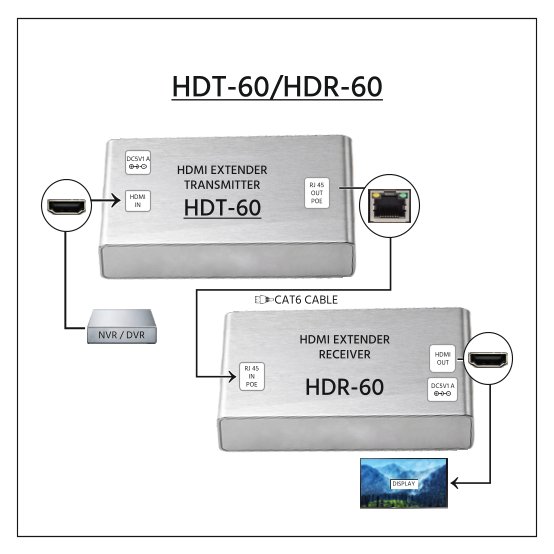
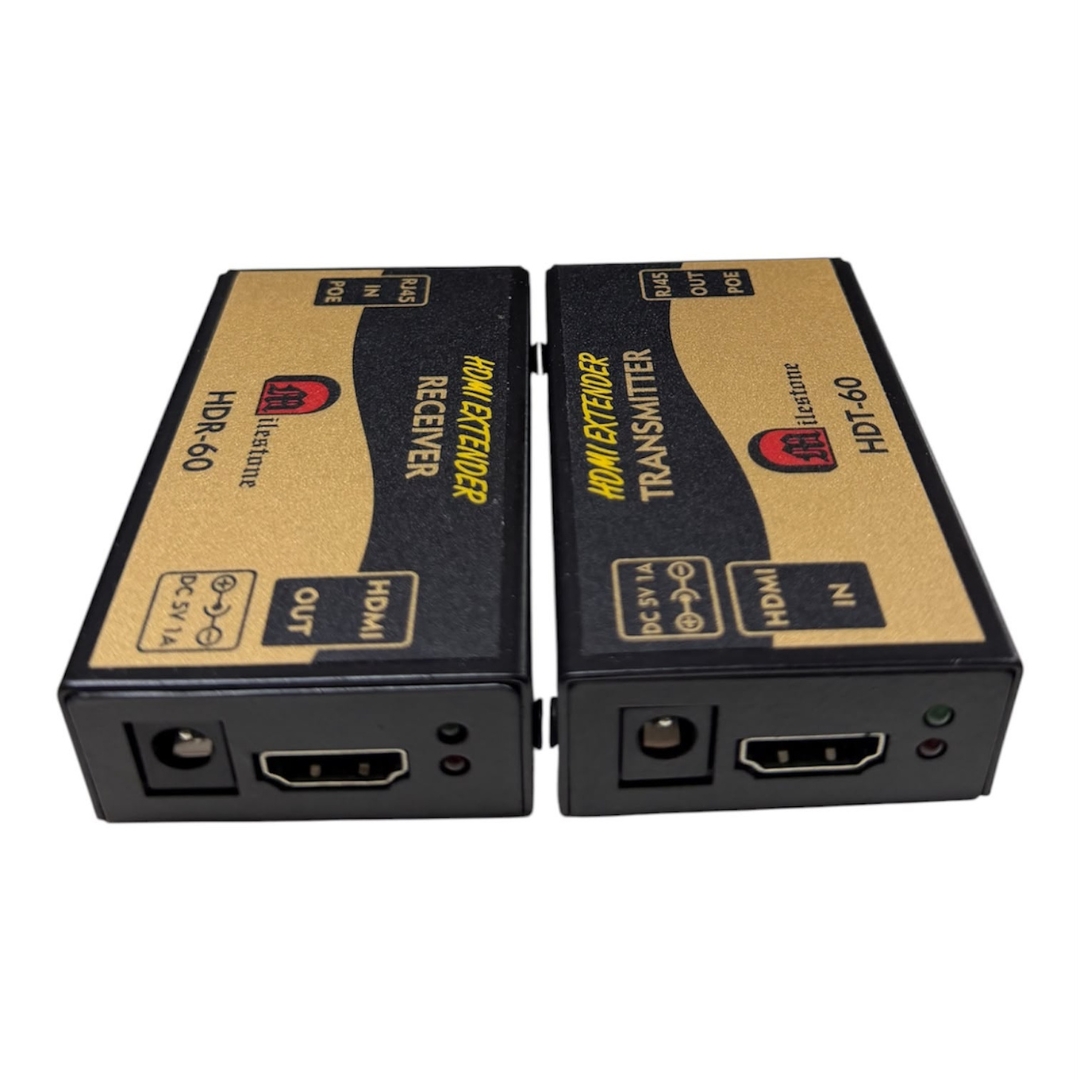
The ML-HDT-60 and ML-HDR-60 extend high-definition HDMI signals up to 60 metres over a single CAT5e or CAT6 network cable, replacing costly HDMI cable runs with a cost-effective, plug-and-play two-unit system designed for long-distance HD signal transmission.
- Extends HDMI signals up to 60 metres over a single CAT6 cable, reducing infrastructure cost
- Supports maximum resolution of 1920x1080 at 60Hz, HDCP compliant
- Compatible with all standard HDMI ports, no drivers or configuration required
- Uses standard IEEE-568B CAT6 cable, widely available and simple to terminate on site
- Transmitter and Receiver each consume only 2W, powered by DC 5V/1A
Max Resolution
1080p Full HD
Audio Input
Stereo Analogue
Output
Single HDMI
- In-house manufactured
- 2,000+ clients served
Product Overview
What the ML-HDT-60 and ML-HDR-60 deliver
The HDMI Extender from Milestone Electronics consists of two units: the ML-HDT-60 Transmitter and the ML-HDR-60 Receiver. Together, they enable transmission of high-definition HDMI video signals over a single CAT5e or CAT6 network cable to distances of up to 60 metres. This system is engineered to replace long, expensive HDMI cable runs with affordable, widely available structured cabling, reducing installation cost without compromising signal quality.
The extender supports a maximum resolution of 1920×1080 at 60Hz and is HDCP compliant, ensuring it operates correctly with protected content sources such as media players, set-top boxes, and computer systems. The colour space support covers RGB, YCbCr 4:4:4, YCbCr 4:2:2, and YCbCr 4:2:0, providing broad compatibility with source devices and display equipment.
The system is designed for plug-and-play operation. No software configuration, drivers, or specialist tools are required. The Transmitter accepts a standard HDMI input and outputs the signal over a single RJ45 CAT cable connector. The Receiver accepts the CAT cable input and outputs a standard HDMI signal directly to the connected display. Both units are powered by DC 5V/1A and consume only 2W each, making them suitable for permanent installations where power economy is a consideration.
The CAT6 cable used with this system must comply with the IEEE-568B standard. CAT6 is recommended over CAT5e for best performance at the full 60-metre transmission distance. With a straightforward two-unit architecture requiring only one structured cable between source and display, the ML-HDT-60 and ML-HDR-60 suit a wide range of permanent AV installations in commercial, educational, and corporate environments.
Model (RX)
Need a quote?
Our team responds within 24 hours with a tailored quote for your project or bulk order.
Key Features
Long-distance HDMI extension over a single CAT6 network cable
Full HD HDMI signals transmitted over CAT5e or CAT6 cable to 60 metres, with HDCP compliance, broad colour space support, and a plug-and-play design that requires no configuration.
60-Metre Transmission over CAT5e or CAT6
The system carries HDMI signals over a single CAT5e or CAT6 network cable to distances of up to 60 metres. CAT6 is recommended for reliable performance across the full transmission distance. This eliminates the need for long, rigid HDMI cables and allows the use of standard structured cabling already installed in buildings.
- Up to 60 metres over a single structured network cable
- CAT6 (IEEE-568B) recommended for full-distance reliability
- Replaces expensive long HDMI cable runs with standard LAN cable
Full HD 1920x1080 at 60Hz with HDCP Compliance
The extender supports a maximum resolution of 1920x1080 at 60Hz and is HDCP compliant, ensuring correct operation with content-protected sources including Blu-ray players, media servers, and set-top boxes. Signal integrity at full HD resolution is maintained across the complete cable run.
- Maximum resolution 1920x1080@60Hz
- HDCP compliant for compatibility with protected content sources
- Compatible with all standard HDMI ports on source and display equipment
Broad Colour Space Support
The system supports RGB, YCbCr 4:4:4, YCbCr 4:2:2, and YCbCr 4:2:0 colour spaces, providing compatibility across a wide range of source devices and display configurations. This ensures that colour accuracy is preserved regardless of the output format used by the connected HDMI source.
- Supports RGB colour space
- Supports YCbCr 4:4:4, 4:2:2, and 4:2:0
- Compatible with diverse source devices and professional displays
Plug-and-Play Operation, No Configuration Required
Both the Transmitter and Receiver units are designed for plug-and-play installation. No software, drivers, or on-site configuration are required to bring the system into operation. The units work with all HDMI-compatible source and display devices, making them straightforward to deploy in permanent AV installations.
- No software, drivers, or configuration required
- Works with all standard HDMI-compatible source and display devices
- Simple two-unit architecture with one cable between source and display
Low Power Consumption, DC 5V/1A Supply
Each unit in the system requires a DC 5V/1A power supply and consumes only 2W during operation. The low power draw makes the ML-HDT-60 and ML-HDR-60 suitable for permanent installations where both units may be powered continuously. The small power adapter footprint also simplifies installation in confined AV equipment spaces.
- DC 5V/1A power input on both Transmitter and Receiver
- Only 2W power consumption per unit
- Suitable for continuous, permanent installation environments
Standard RJ45 Connectors for Easy Cable Termination
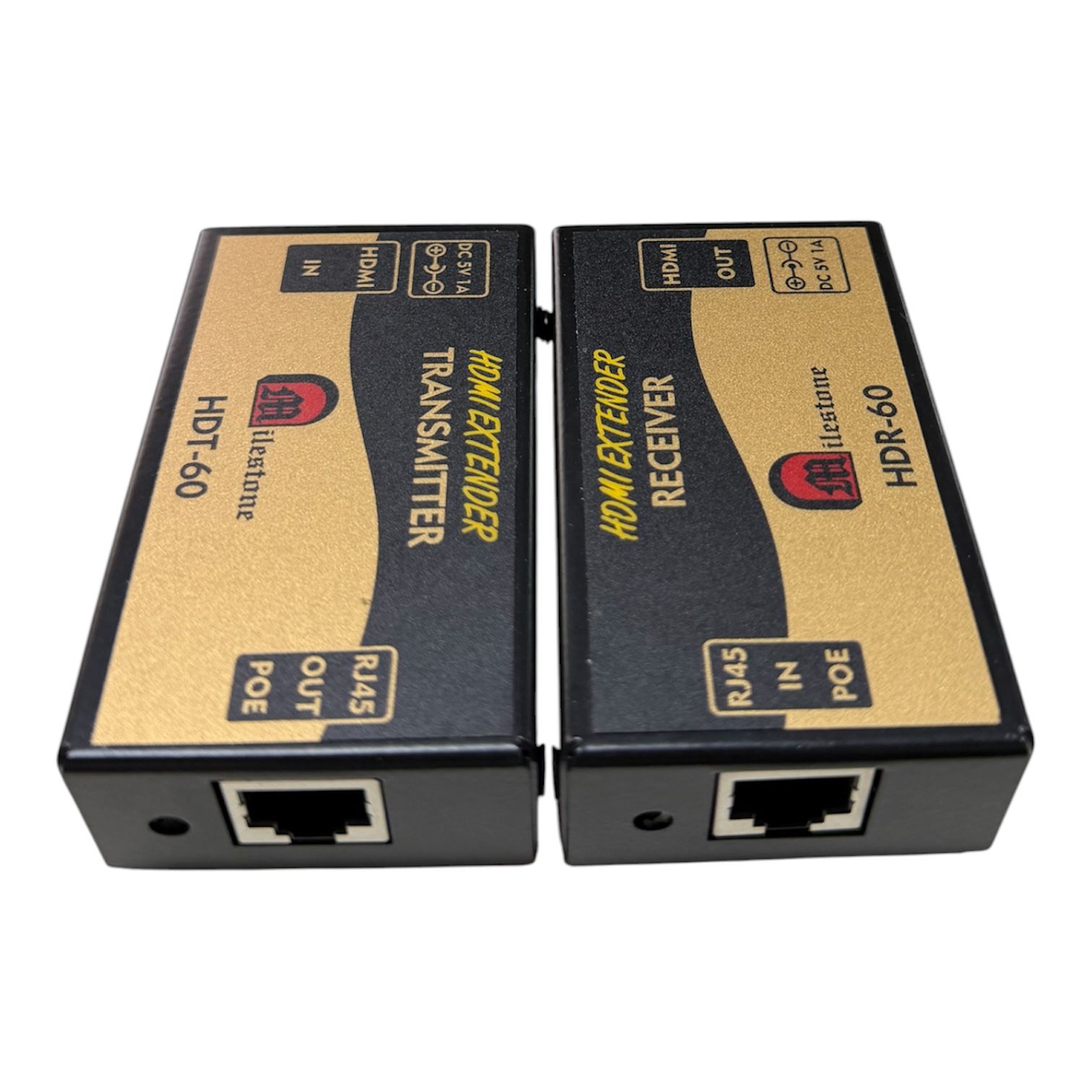
The Transmitter outputs to an RJ45 8-pin female connector and the Receiver accepts the same, enabling use with any standard CAT6 patch cable or field-terminated run. The RJ45 interface allows installers to use existing structured cabling infrastructure, simplifying deployment in buildings already fitted with network cabling.
- CAT OUT on Transmitter: RJ45 8-pin female connector
- CAT IN on Receiver: RJ45 8-pin female connector
- Compatible with standard patch cables and field-terminated structured runs
Installation
Step-by-step connection procedure
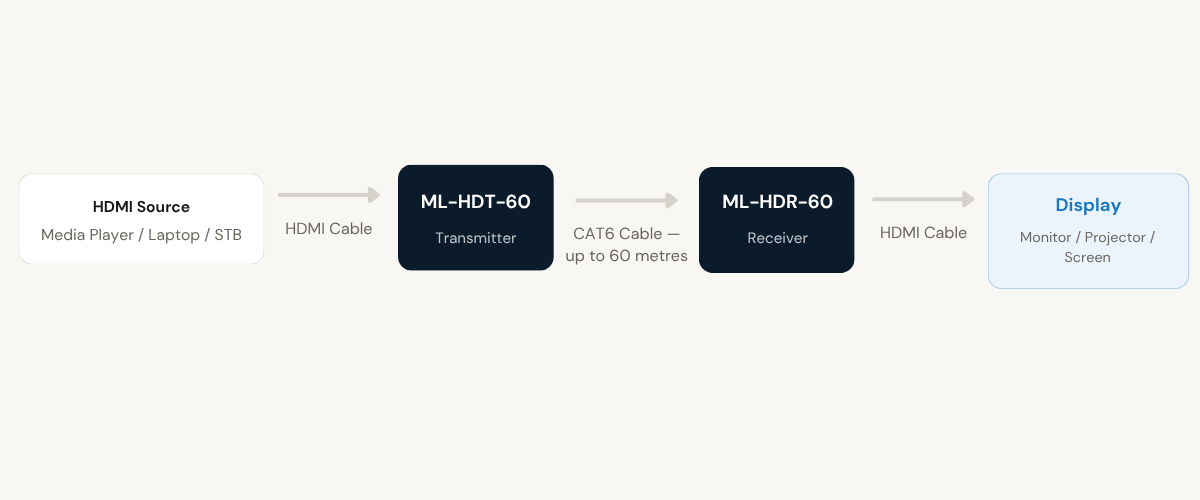
The ML-HDT-60 and ML-HDR-60 are designed for plug-and-play installation. Follow the connection sequence below to bring the system into operation.
01
Connect the HDMI Source to the Transmitter
Connect the HDMI output of the source device (such as a media player, laptop, or set-top box) to the HDMI IN port on the ML-HDT-60 Transmitter. This is an HDMI Type A 19-pin female connector. Ensure the HDMI cable between the source and the Transmitter is firmly seated at both ends.
02
Run the CAT6 Cable Between Transmitter and Receiver
Connect one end of a CAT5e or CAT6 cable (IEEE-568B standard, CAT6 recommended) to the CAT OUT port on the ML-HDT-60 Transmitter. Route the cable to the display location and connect the other end to the CAT IN port on the ML-HDR-60 Receiver. The maximum supported cable run is 60 metres. A single cable carries the full HDMI signal between both units.
03
Connect the Display to the Receiver
Connect the HDMI IN port of the display device (monitor, projector, or screen) to the HDMI OUT port on the ML-HDR-60 Receiver. This is an HDMI Type A 19-pin female connector. Confirm that the display is powered and set to the correct HDMI input channel before proceeding to the power-on step.
04
Apply Power to Both Units
Connect the DC 5V/1A power supply to both the Transmitter and Receiver using the 5.5x2.1 power port on each unit. Power on both units and the connected source device. The system will begin operating automatically. No additional configuration is required. Both units must be powered for the signal link to function.

Where the ML-HDT-60 and ML-HDR-60 perform
Designed for installations where HDMI source equipment and displays are separated by distances beyond standard HDMI cable reach, using existing or new CAT6 structured cabling infrastructure.
Corporate Boardrooms and Conference Rooms
Extend HDMI output from a presentation laptop or media player located at a lectern or credenza to a large display or projector mounted at the far end of the room. The 60-metre range accommodates most meeting room and boardroom layouts without requiring additional signal boosters.
Classrooms and Lecture Halls
Distribute HDMI content from a teacher workstation or AV rack to a projector or interactive display installed at the front of the classroom. The CAT6 cable can be routed through conduit or ceiling void, keeping the installation clean and eliminating visible HDMI cable runs across the room.
AV Racks to Room Displays
Connect HDMI sources housed in a centralised AV equipment rack to wall-mounted or ceiling-mounted displays in adjacent rooms or across a floor. The extender integrates cleanly into rack-based AV systems where structured cabling already runs between the equipment room and display locations.
Retail and Hospitality Digital Signage
Drive HDMI digital signage displays from a centralised media player or PC located in a back-office or server room. CAT6 runs through walls, ceilings, or floor conduit to reach display screens positioned throughout a retail floor, hotel lobby, or restaurant, with no signal degradation over the full distance.
Control Rooms and Monitoring Stations
Feed HDMI video from server-mounted or equipment-room-based sources to operator display monitors located at control desks positioned up to 60 metres away. The system supports continuous operation suited to 24-hour control environments, with both units consuming minimal power.
Event and Exhibition Venues
Deploy temporary or permanent HDMI extension at exhibitions, event halls, or auditoriums where source equipment and display screens are separated by longer cable distances. The plug-and-play design allows quick setup and teardown without specialist AV technicians, and the standard CAT6 cable is easy to source and route on event sites.
Full specification sheet
- Transmitter — ML-HDT-60
- Receiver — ML-HDR-60
- Signal Extension
- Video and Compliance
- Available Models in Series
FAQs about the HDMI Extender ML-HDT-60 and ML-HDR-60
What does the HDMI Extender (ML-HDT-60 and ML-HDR-60) do?
The ML-HDT-60 and ML-HDR-60 form a two-unit system that extends HDMI video signals from a source device to a display over a single CAT5e or CAT6 network cable, covering distances of up to 60 metres. The ML-HDT-60 Transmitter accepts the HDMI input from the source and outputs over the CAT cable. The ML-HDR-60 Receiver takes the CAT cable input and outputs a standard HDMI signal to the display. The system replaces long HDMI cable runs with cost-effective structured cabling.
What type of cable is required between the Transmitter and Receiver?
The system is designed for use with CAT5e or CAT6 network cable. CAT6 is recommended for consistent performance across the full 60-metre transmission distance. The cable must comply with the IEEE-568B standard. Both the Transmitter and Receiver use standard RJ45 8-pin female connectors, so the cable can be either a pre-terminated patch cable or a field-terminated structured cabling run, as long as it meets the IEEE-568B termination standard.
What is the maximum video resolution supported?
The ML-HDT-60 and ML-HDR-60 support a maximum resolution of 1920×1080 at 60Hz (1080P Full HD). The system is also HDCP compliant, making it compatible with source devices that output HDCP-protected content. The supported colour spaces are RGB, YCbCr 4:4:4, YCbCr 4:2:2, and YCbCr 4:2:0, covering the output formats used by most professional and consumer HDMI source equipment.
Does the system work with any HDMI source and display device?
Yes. The extender is compatible with all standard HDMI ports on both source and display devices. No software, drivers, or configuration are required. The HDMI input on the Transmitter accepts any standard HDMI output from a source device, and the HDMI output on the Receiver connects directly to any HDMI-compatible monitor, projector, or display. HDCP compliance ensures protected content sources are also supported without additional configuration.
What power supply is required and does the cable carry power between units?
Both the ML-HDT-60 Transmitter and the ML-HDR-60 Receiver require a DC 5V/1A power supply connected to the 5.5×2.1 power port on each unit. Each unit consumes 2W. Power is not carried over the CAT cable between units, so two separate power supplies are required for a complete installation. Both units must be powered on for the system to operate. Power should be applied after all HDMI and CAT cable connections have been made.
Can the existing CAT6 cabling in a building be used with this extender?
Yes, provided the existing cabling is CAT5e or CAT6 and complies with the IEEE-568B standard, it can be used with the ML-HDT-60 and ML-HDR-60. The Transmitter and Receiver both use standard RJ45 connectors. If existing structured cabling runs are in place between source and display locations, the extender can be connected directly to existing wall outlet ports or patch panel connections, eliminating the need to install new cabling.
What is the maximum transmission distance and does cable quality affect it?
The maximum supported transmission distance is 60 metres. CAT6 cable is recommended over CAT5e to achieve reliable performance at the full 60-metre distance. Using sub-standard or damaged cable may reduce effective range or introduce signal instability. For installations approaching the maximum range, CAT6 terminated to IEEE-568B standard should always be used. Patch panels, keystone jacks, and other passive components in the cable run should also be of CAT6 specification to maintain performance.
Can multiple extender pairs be used together in the same installation?
Yes. Multiple ML-HDT-60 and ML-HDR-60 pairs can be deployed independently across the same installation, with each Transmitter and Receiver pair operating on its own dedicated CAT cable run. Each pair functions as a standalone point-to-point HDMI extension link. For installations requiring signal distribution to multiple displays from a single source, a separate HDMI splitter or distribution amplifier would be used upstream of the Transmitter units.
Products you may also need
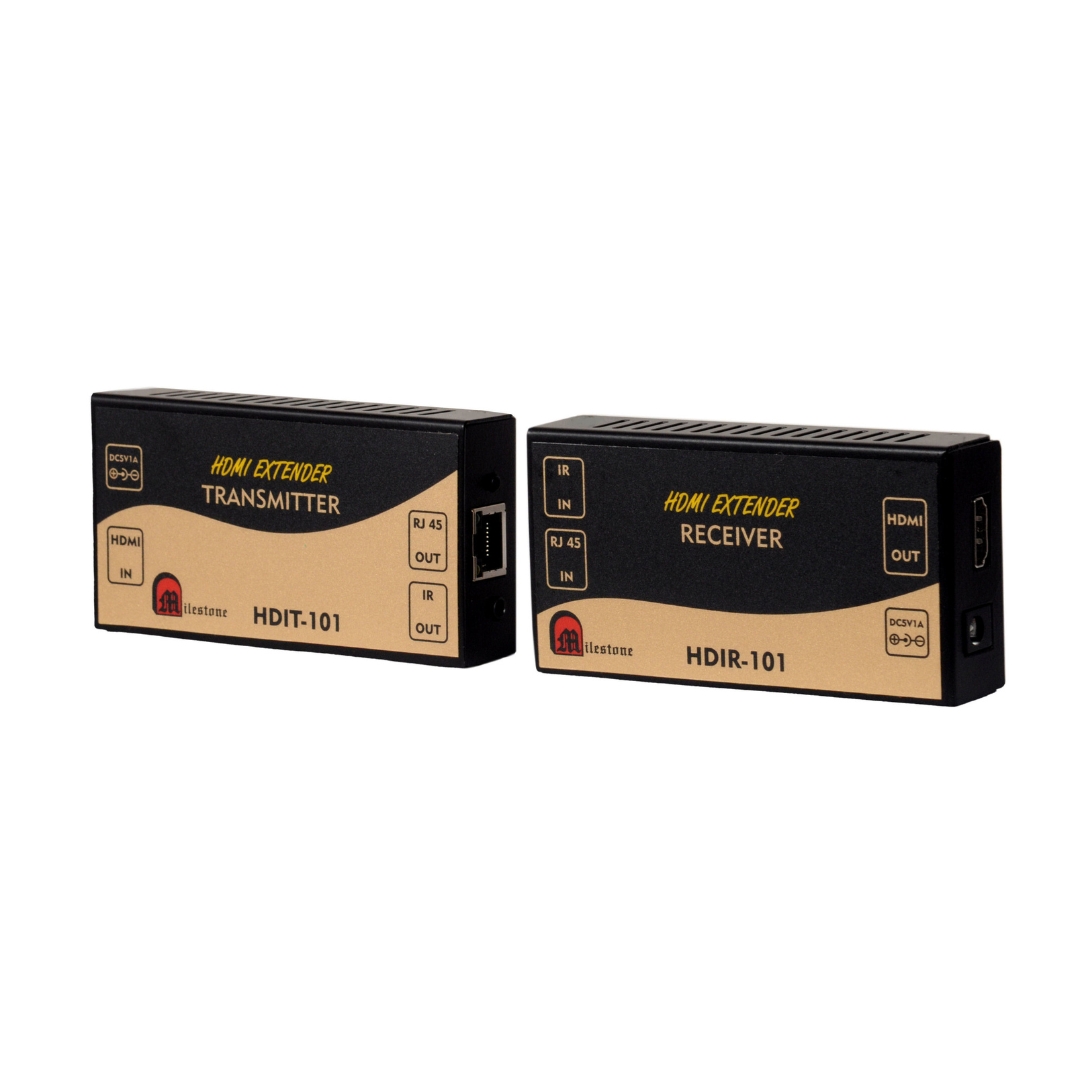
The ML-HDIT-101 and ML-HDIR-101 extend HDMI video and IR control signals up to 120...
Ready to order or have a specific requirement?
Our team responds within 24 hours. Bulk pricing, custom solutions, and pan-India delivery are available. Talk to an engineer directly about your setup.