
Milestone Electronics
Audio Video Switcher
The ML 401AV is a 4-input, single-output composite audio video switcher that enables sharing of multiple AV sources with a projector or display system. It supports local keypad, remote keypad, RS232, and IR control, making it suitable for both manual and automated AV switching environments.
- 1 composite AV input distributed to 4 independent AV outputs
- Audio and video signals transmitted together without delay or mismatch
- Each output individually managed and amplified for consistent signal strength
- Video bandwidth up to 90 MHz (-3dB) with 75-ohm impedance matching
- Rugged metal enclosure with captive screw audio connectors for fixed installations
Max Resolution
1080p Full HD
Audio Input
Stereo Analogue
Output
Single HDMI
- In-house manufactured
- 2,000+ clients served
Product Overview
What the ML 401AV delivers
The ML 401AV is a composite audio video switcher designed to consolidate up to four independent AV sources and route the selected source to a single projector or display with an accompanying audio output. It is a plug-and-play device suited for environments where multiple source devices such as cameras, players, or computers need to share one display system without physical cable changes.
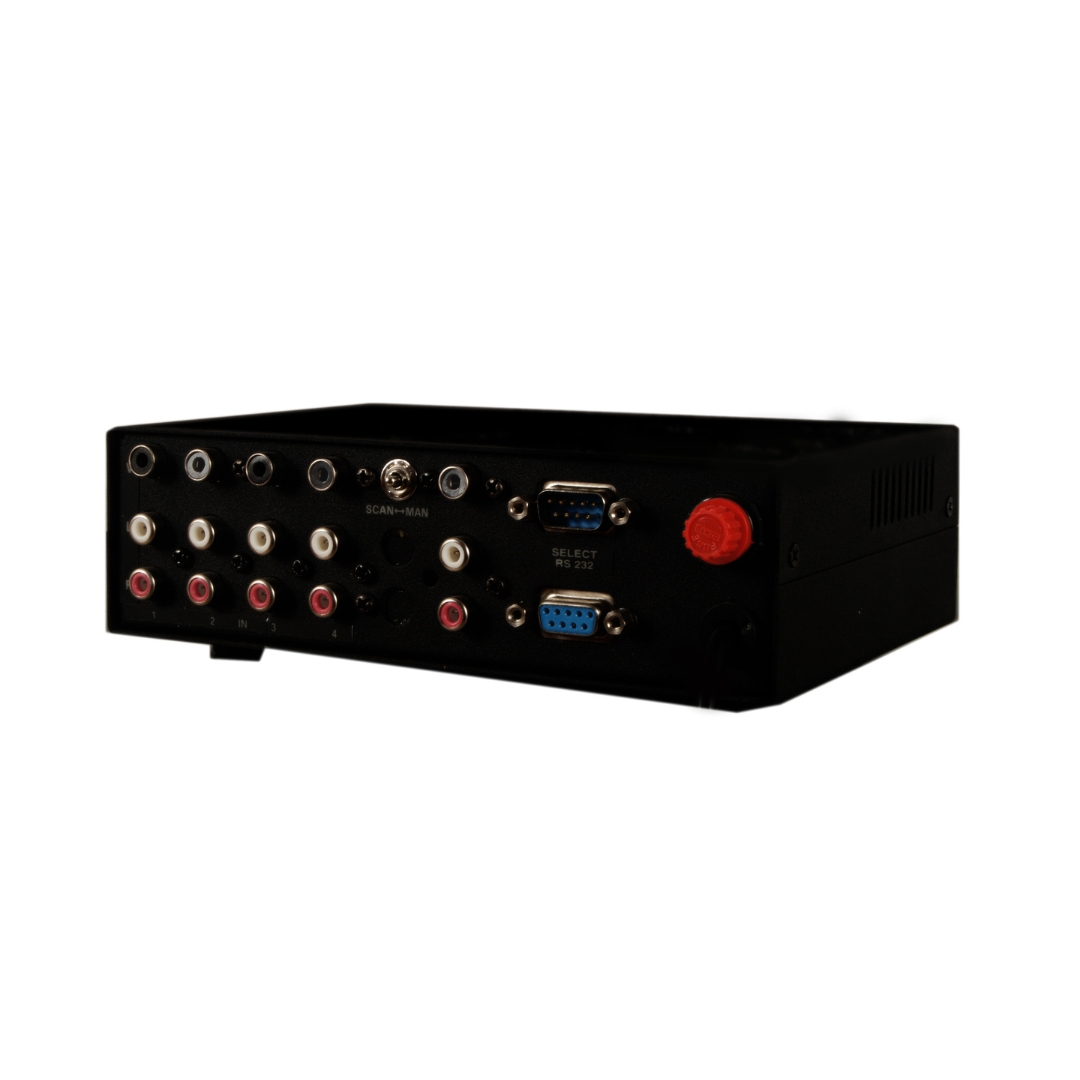
Control over the active channel is available through several independent methods. The front panel keypad allows direct local selection, while a D9 male connector on the rear panel supports connection to Milestone’s remote keypad or any compatible contact closure device, operable at distances up to 50 metres. For serial integration, a D9 female RS232 port accepts simple ASCII channel selection commands at 9600 baud and provides feedback confirmation on each switch event.
An integrated IR remote receiver enables wireless channel selection within a 2 to 3 metre range. For longer IR control distances, an IR extender connector on the rear panel accepts a sensor cable that increases the effective IR range to approximately 30 metres. This makes the unit flexible for installations where the switcher is located in a rack or equipment cabinet away from the operator position.
In addition to manual mode, the ML 401AV supports an automatic scanning mode. When set to scan, the unit cycles through each of the four input channels at 20-second intervals, with an LED indicator on the front panel confirming the active scan state. Scanning can be paused and resumed from the remote keypad at any time.
Inputs
Need a quote?
Our team responds within 24 hours with a tailored quote for your project or bulk order.
Key Features
Multi-control composite AV switching in a single unit
The ML 401AV combines local keypad, remote contact closure, RS232, and IR control options with a clean composite AV switching architecture for reliable source management.
4 Composite AV Inputs, Single Output
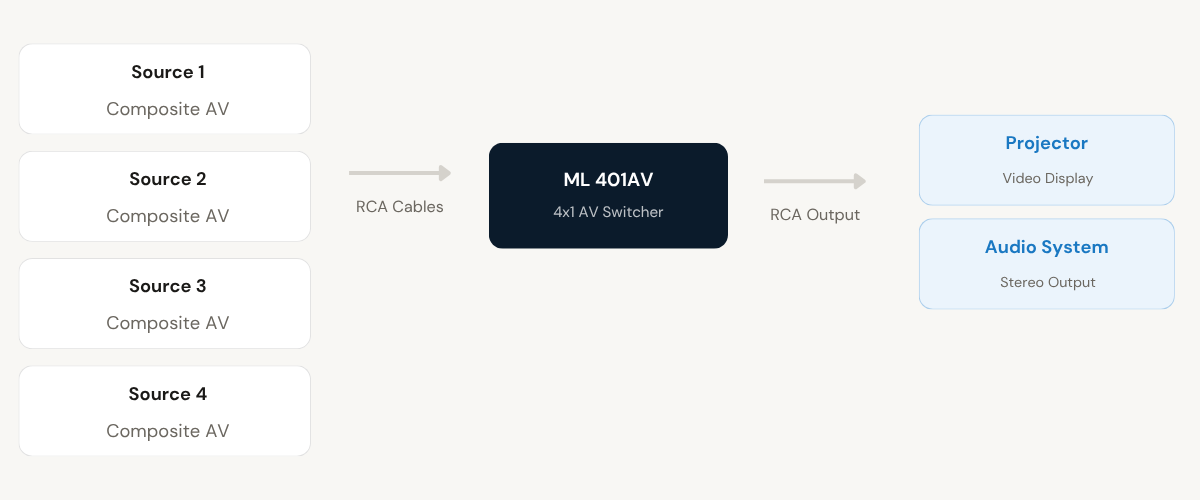
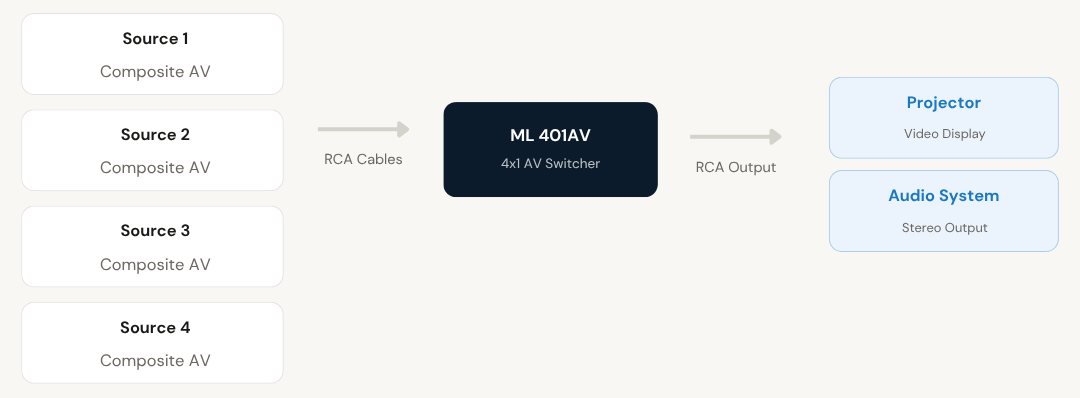
The ML 401AV accepts four independent composite video and stereo audio sources via RCA connectors. A single selected source is routed to one composite video output and one stereo audio output, allowing multiple devices to share one projector or display without manual cable reconnections.
- 4 RCA composite video inputs and 8 RCA stereo audio inputs (2 per source)
- 1 RCA composite video output and 1 RCA stereo audio output
- Compatible with standard audio video cables with RCA male connectors
Multiple Independent Control Methods
Channel selection is supported through five independent control interfaces, providing flexibility for diverse installation scenarios. The unit can be operated locally or integrated into larger AV control systems without additional converters or adapters.
- Front panel local keypad for direct manual channel selection
- D9 male rear panel connector for remote keypad or contact closure up to 50 metres
- RS232C interface via D9 female connector for serial control integration
Built-in IR Remote with Extender Support
The unit includes an integrated IR remote control receiver for wireless channel selection within 2 to 3 metres. A dedicated IR extender connector on the rear panel supports an external sensor cable that extends effective IR control range to approximately 30 metres, suitable for rack-mounted installations.
- Built-in IR receiver for wireless channel control up to 3 metres
- Rear panel IR extender connector accepts external sensor cable
- Extended IR range up to approximately 30 metres with sensor cable
RS232 Serial Control with Feedback
The D9 female RS232 port enables channel selection via simple ASCII commands at 9600 baud, 8-bit, 1 stop bit, no parity. The switcher also returns confirmation feedback on pin 2 after each channel change, allowing the control system to verify the active input without additional polling.
- Simple ASCII command format: send channel number followed by "!" character
- Communication at 9600 baud, 8-bit, 1 stop bit, no parity
- Switcher returns active channel confirmation on RS232 Tx pin after each switch
Automatic Channel Scanning Mode
A dedicated scanning mode automatically cycles through all four input channels sequentially, dwelling on each for 20 seconds by default. The scan mode status is indicated by a dedicated LED on the front panel, and scanning can be paused or resumed via the remote keypad at any point during operation.
- Rear panel slide-switch toggles between manual and scan modes
- 20-second default dwell time per channel in scan mode
- Dedicated front panel LED confirms scan mode is active
LED Channel and Status Indication
Front panel LEDs provide clear real-time indication of the currently active input channel and the power status of the unit. Separate indicators for each of the four channels allow operators to confirm the active source at a glance without interacting with a control interface.
- Individual LEDs for channels 1 through 4 indicate active selection
- Dedicated scan mode LED indicates when automatic cycling is active
- Power LED confirms unit is energised and operational
Installation
Setting up the ML 401AV
The ML 401AV is a plug-and-play device. Connect your composite AV sources to the rear panel inputs, connect your display and audio system to the outputs, select your control method, and the unit is operational. No software or driver installation is required.
01
Connect AV Sources
Connect up to four composite video and stereo audio sources to the rear panel RCA input connectors using standard audio video cables with RCA male connectors. Each input position accepts one composite video cable and two audio cables (left and right stereo channels).
02
Connect Display and Audio Output
Connect the single composite video output and stereo audio output from the rear panel to the projector, monitor, or audio system using RCA cables. The ML 401AV routes the currently selected input source directly to these output connectors.
03
Connect Remote or Serial Control
For remote control, connect Milestone's remote keypad or a contact closure device to the D9 male connector on the rear panel. The remote operates at distances up to 50 metres. For serial integration, connect the RS232 control system to the D9 female connector on the rear panel.
04
Set Operating Mode and Power On
Set the rear panel slide-switch to Manual for direct channel selection, or to Scan for automatic cycling through all inputs at 20-second intervals. Connect the unit to a 230 V AC mains supply. The power LED will confirm the unit is active and ready for channel selection.
Where the ML 401AV is deployed
The ML 401AV is suited for any environment where multiple composite AV sources need to be shared with a single display or audio system, with flexible control requirements.
Corporate Boardrooms
Allows multiple presentation sources such as laptops, video players, or document cameras to be connected simultaneously and switched to a single projector or display during meetings, without disturbing cable connections.
Classrooms and Training Rooms
Enables instructors to switch between multiple AV source devices such as DVD players, computers, or visualisers and present each through a single classroom projector, with scanning mode supporting automated content rotation.
Broadcast and Production Environments
Used in production control rooms to route composite video signals from multiple camera or playback sources to a single monitor for live preview or monitoring, with RS232 control available for integration into automated broadcast workflows.
Retail and Digital Signage
In retail environments, the automatic scan mode cycles through connected source devices and displays their content sequentially on an in-store screen, eliminating the need for operator intervention to change the active source.
Security and Surveillance Monitoring
Enables operators to view feeds from up to four composite video sources on a single monitor, either by manual channel selection or via automatic scan mode to cycle through camera positions at regular intervals.
Event and Conference Setups
At live events and conferences, the ML 401AV allows presenters or AV operators to switch between multiple source devices feeding a shared projection screen, with remote keypad control enabling switching from up to 50 metres away.
Full specification sheet
- Input
- Output
- Control Interfaces
- Indication and Modes
- Power and Physical
FAQs about the ML-2RLC 2 Relay Controller
How do I select a channel on the ML 401AV?
Channel selection is available through multiple methods depending on your installation. You can press the corresponding channel button directly on the front panel keypad for immediate local switching. Alternatively, a remote keypad or contact closure device connected to the D9 male connector on the rear panel allows channel selection from up to 50 metres away. For automated or control system integration, ASCII commands sent via the RS232 interface will also switch channels. The built-in IR remote handset can be used for wireless selection up to 3 metres from the unit.
What RS232 command format does the ML 401AV use?
The RS232 interface uses a simple ASCII command structure. To select a channel, send the channel number followed by an exclamation mark character. For example, to activate channel 1, send the characters “1!” which corresponds to decimal bytes 49 and 33, or ASCII codes 31 and 21 in hexadecimal. The communication parameters are 9600 baud, 8-bit data, 1 stop bit, and no parity. After a channel is selected, the switcher sends a confirmation feedback on pin 2 of the RS232 connector, echoing the channel that was activated.
How does the scan mode work and how do I stop it?
To enable scan mode, set the slide-switch on the rear panel to the scan position. The unit will then automatically cycle through all four input channels in sequence, dwelling on each for 20 seconds before advancing to the next. The scan mode status LED on the front panel will illuminate to indicate automatic cycling is active. To pause scanning and hold a specific channel, press any channel key on the remote keypad. To resume automatic scanning, press the Scan key (labelled as Mute) on the remote keypad.
How can I extend the IR remote control range beyond 3 metres?
The ML 401AV includes an IR extender connector on the rear panel, labelled IR EXT. Connecting an external IR sensor cable to this connector relocates the IR receiver point to wherever the sensor is placed, allowing operation at distances of approximately 30 metres from the remote handset to the sensor. This is particularly useful when the switcher is installed inside a rack or equipment cabinet where the built-in front panel receiver would be obstructed.
What is the pin configuration of the D9 male remote connector?
The D9 male connector on the rear panel is used for remote keypad and contact closure control. Pin 1 corresponds to Channel 1, Pin 2 to Channel 2, and so on up to Pin 8 for Channel 8 (pins 1 to 4 are relevant for the ML 401AV). Pin 9 is the ground reference. To select a channel using a contact closure device, short the corresponding channel pin to Pin 9. Milestone’s own remote keypad can also be connected directly to this connector.
Does the ML 401AV support gain-controlled video output?
No. Gain-controlled video output is not available on the ML 401AV model. This feature is present on higher-capacity models in the range such as the ML 402AV, ML 802AV, ML 1602AV, and ML 2016AV. On the ML 401AV, the composite video signal is routed to the single output without additional amplification or gain adjustment. If gain-controlled output is a requirement for your installation, please enquire about the appropriate higher-capacity model.
What type of cables are required for the ML 401AV?
The ML 401AV uses standard composite audio video cables fitted with RCA male connectors. These are the same cables commonly used with consumer and professional composite AV equipment such as video players, cameras, and monitors. No specialist cabling is required for the AV signal connections. For the remote keypad or contact closure, a cable terminated with a D9 female connector is used. The RS232 interface also uses a standard D9 connection to the control system.
Can the ML 401AV be controlled simultaneously from multiple control methods?
Yes. The ML 401AV supports multiple independent control interfaces, and each method can be used at any time. The front panel keypad, remote keypad or contact closure, RS232 serial port, and IR remote all operate independently. Any of these can be used to change the active channel at any time, regardless of which method was used for the previous selection. This makes the unit flexible for installations where both local operators and remote control systems need to manage source switching without conflict.
Products you may also need
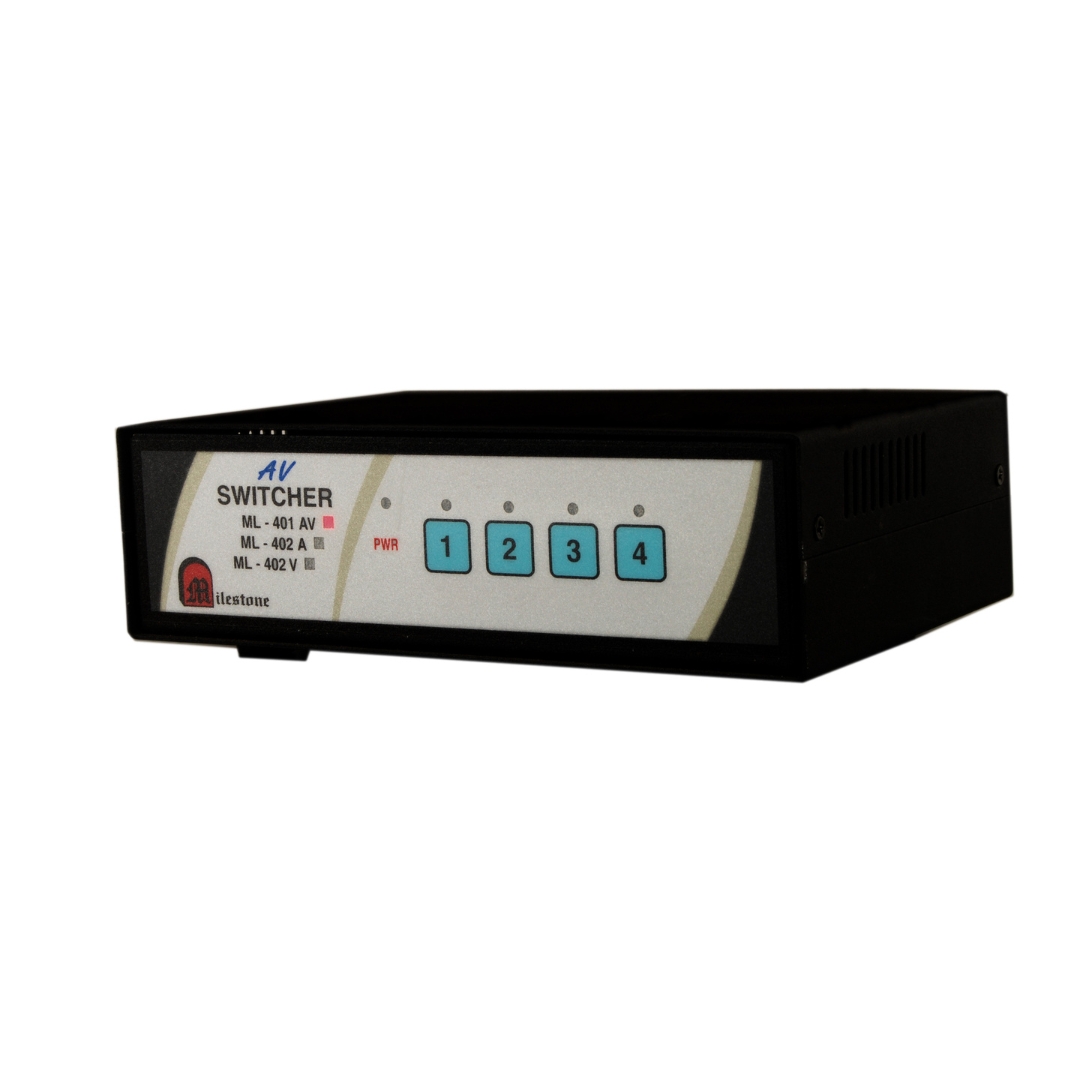
The ML 401AV is a 4-input, single-output composite audio video switcher that enables sharing...
Ready to order or have a specific requirement?
Our team responds within 24 hours. Bulk pricing, custom solutions, and pan-India delivery are available. Talk to an engineer directly about your setup.