
Milestone Electronics
HDMI Switchers
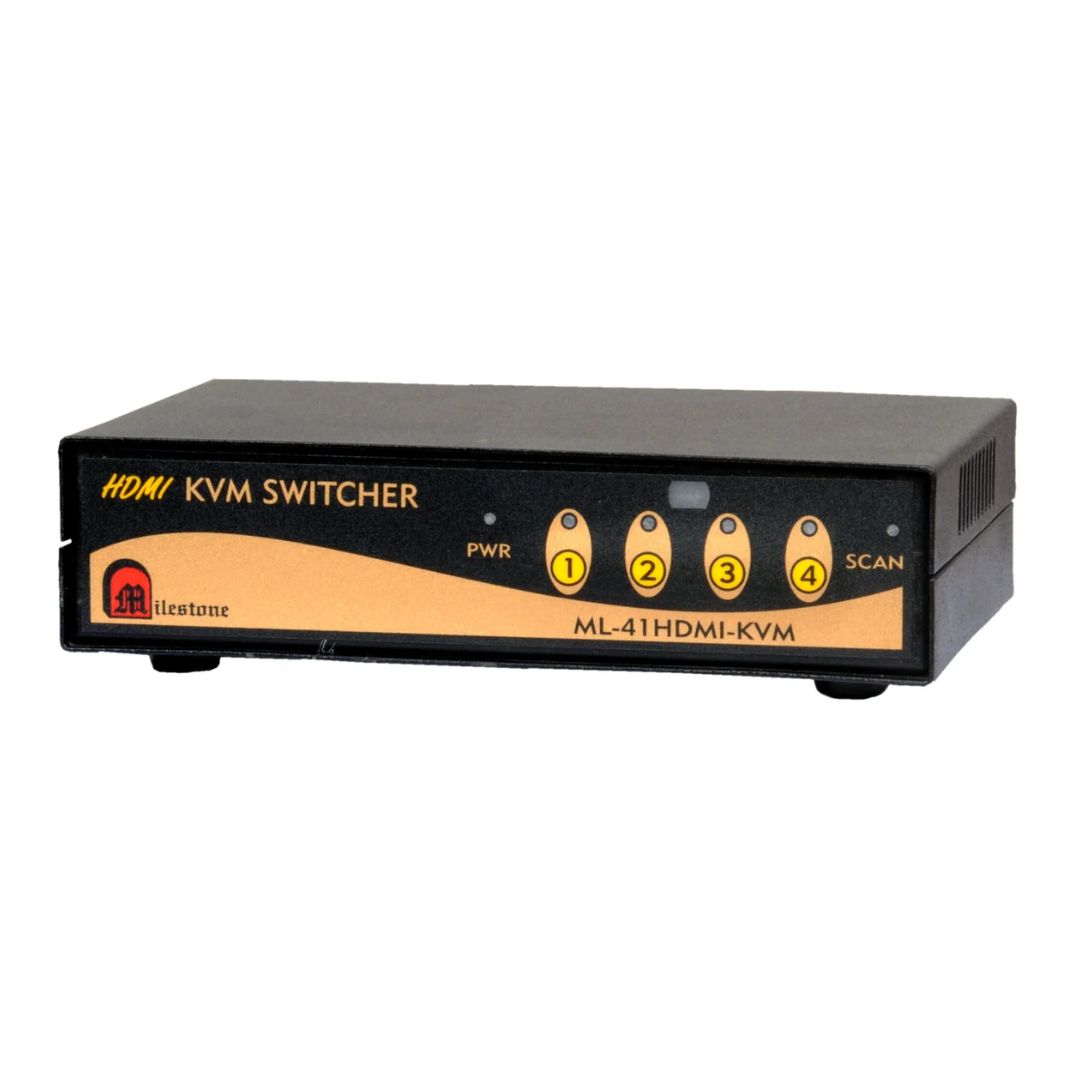
Model: ML-41HDMI-KVM
4 In 1 Out HDMI KVM Switch with EDID Management
The ML-41HDMI-KVM connects four HDMI source devices to a single display with integrated KVM control and built-in EDID management, enabling stable resolution handling and centralised peripheral control from one workstation. With Auto Fall Back functionality that maintains uninterrupted display output when a connected source signal becomes unavailable.
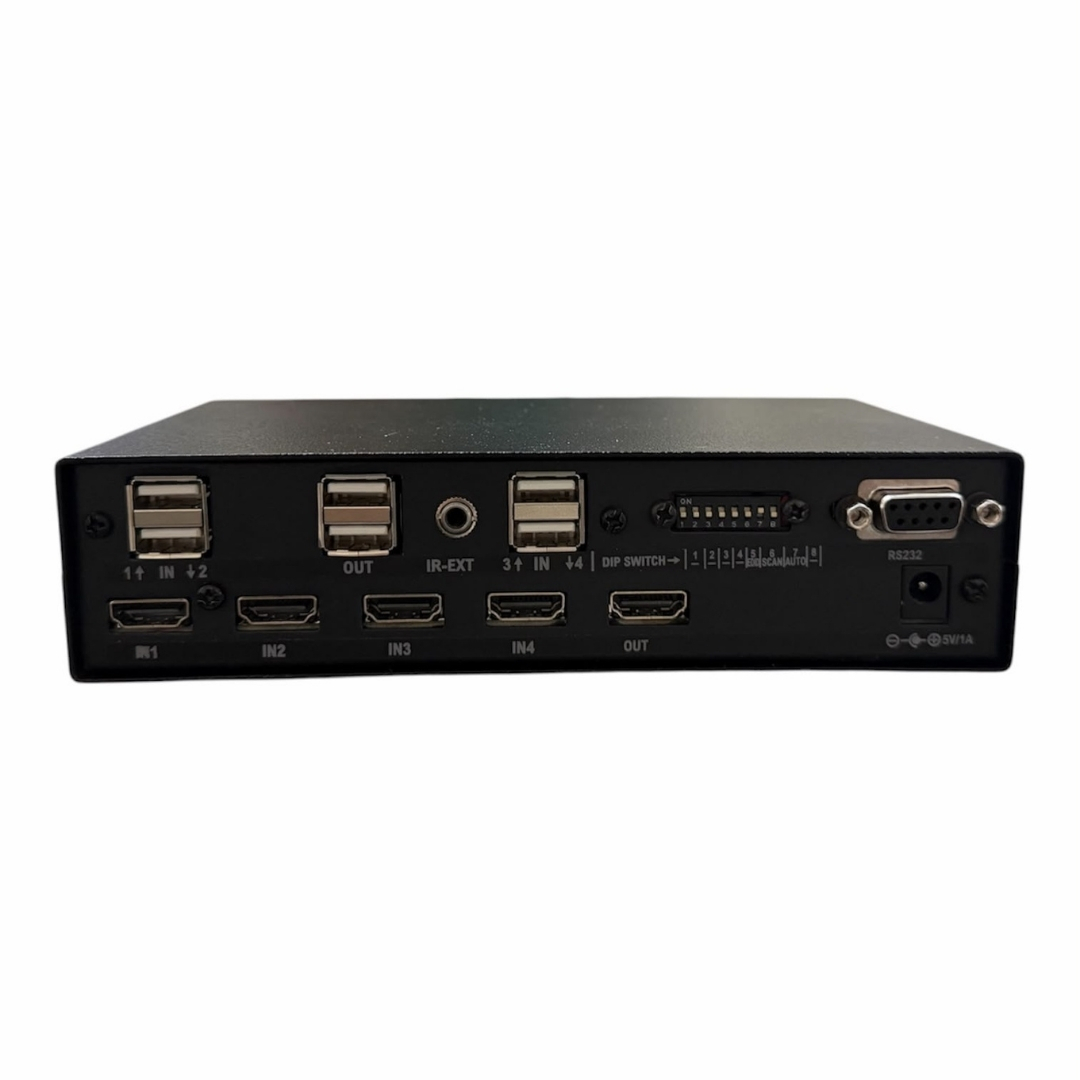
- 4 HDMI inputs and 1 HDMI output with integrated KVM control
- Built-in EDID management for stable 720P and 1080P resolution handling
- Single keyboard and mouse control all four connected systems
- Manual, automatic, and scan switching modes supported
- Compact form factor for AV racks, control desks, and equipment cabinets
Inputs
4 HDMI
1 HDMI
Max Resolution
1080P Full HD
EDID
KVM Control
Yes
3 Modes
Max Resolution
1080p Full HD
Audio Input
Stereo Analogue
Output
Single HDMI
- In-house manufactured
- 2,000+ clients served
Product Overview
What makes the ML-41HDMI-KVM
The ML-41HDMI-KVM features four HDMI input ports and one HDMI output port, allowing multiple source devices such as computers, media players, or monitoring systems to connect to a single display. The integrated KVM functionality enables seamless switching between systems while automatically transferring keyboard and mouse control to the selected device.
Designed for professional deployments, the ML-41HDMI-KVM ensures reliable signal performance and stable communication between connected devices. It reduces the need for multiple monitors and peripheral devices, improving workspace efficiency and simplifying system control.
The switch includes built-in EDID management that supports predefined settings for 720P and 1080P resolutions. In complex AV environments, EDID mismatches can cause incorrect resolution output or signal loss. By controlling EDID settings, the ML-41HDMI-KVM ensures that connected systems output the correct resolution and maintain stable HDMI communication with the display.
Its compact form factor allows easy installation in control desks, AV racks, or equipment cabinets, and it can also be integrated with broader AV infrastructure including HDMI extenders, signal processors, and automation systems.
ML-41HDMI-KVM
HDMI Inputs
4
HDMI Output
1
1080P Full HD
Also Supports
720P HD, Standard HDMI
KVM
Yes
EDID Management
Built-in
Switching Modes
Manual, Auto, Scan
Need a quote?
Our team responds within 24 hours with a tailored quote for your project or bulk order.
Key Features
Built for professional multi-system control
Four HDMI sources. One display. One keyboard and mouse. Complete control from a single workstation.
High-Quality HDMI Video Performance
The ML-41HDMI-KVM supports commonly used HDMI video resolutions, enabling compatibility with a wide range of professional displays from standard HD monitors to Full HD screens.
- 720P HD resolution
- 1080P Full HD resolution
- Standard HDMI compatible video formats
Integrated KVM Control
With a single keyboard and mouse connected to the device, users can operate any of the four connected systems without physically switching peripherals. Keyboard and mouse control automatically follows the selected HDMI input.
- One keyboard and mouse controls all four connected systems
- Peripheral control transfers automatically on input switching
- Reduces hardware clutter at the workstation
Built-in EDID Management
The device includes built-in EDID management supporting predefined settings for 720P and 1080P resolutions. EDID controls the communication of display capabilities to the connected source, preventing resolution mismatches and signal dropouts.
- Predefined EDID settings for 720P and 1080P
- Prevents signal mismatch in complex AV environments
- Ensures stable HDMI communication with the display
Flexible Switching Modes
The ML-41HDMI-KVM offers three switching modes to accommodate different operational requirements, from direct manual selection to automated signal detection and sequential monitoring.
- Manual switching via front panel controls
- Automatic switching on active HDMI signal detection
- Scan mode cycles through inputs at preset intervals
Stable Signal Transmission
The switch is engineered to maintain consistent signal performance during source switching. It reduces HDMI handshake delays and prevents signal dropouts that can interrupt workflows in professional settings.
- Minimised HDMI handshake delays during switching
- Consistent signal performance across all connected inputs
- Reliable operation in continuous professional use
Easy Installation and Integration
The compact form factor of the ML-41HDMI-KVM allows it to fit easily into control desks, AV racks, or equipment cabinets, and it integrates with broader AV infrastructure including HDMI extenders and automation systems.
- Compact design for rack or desktop installation
- Compatible with HDMI extenders and signal processors
- Integrates with AV automation systems
Installation
Simple setup for professional environments
The ML-41HDMI-KVM is designed for straightforward installation in professional AV and IT environments, with support for integration into broader signal distribution infrastructure.
01
Physical Installation
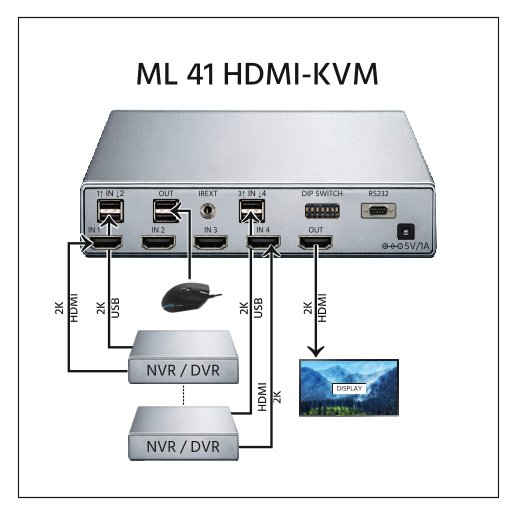
The compact form factor of the ML-41HDMI-KVM allows it to be installed in control desks, AV equipment racks, or equipment cabinets with minimal space requirements. Connect up to four HDMI source devices to the input ports and a single display to the output port. A keyboard and mouse are connected to the KVM ports to enable centralised peripheral control across all four sources.
02
AV Infrastructure Integration
The ML-41HDMI-KVM can be integrated within broader AV infrastructure setups. It is compatible with HDMI extenders, signal processors, and automation systems, making it suitable for deployment within control rooms, corporate AV installations, or structured IT environments. The built-in EDID management ensures correct resolution output when connected to displays with varying video capabilities.
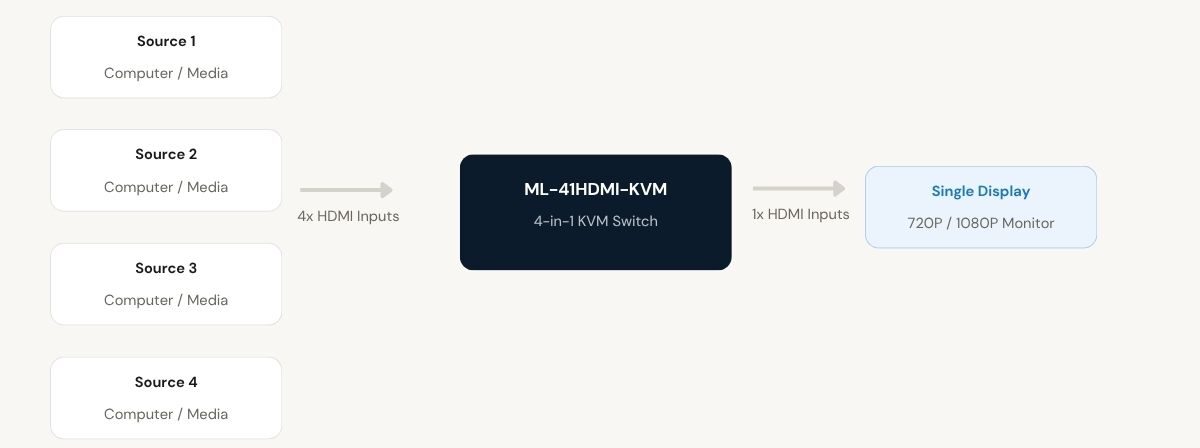
One keyboard and mouse controls all four connected source systems via the KVM switch
Where the ML-41HDMI-KVM performs
Designed for professional environments where managing multiple systems from a single workstation is essential for operational efficiency.
IT and Server Management
Control multiple computers from a single workstation. The ML-41HDMI-KVM enables IT administrators to access and manage up to four server or computing systems without requiring separate monitors or peripheral sets for each machine.
Control Rooms
Monitor and operate multiple systems efficiently using one display and one control interface. The switch allows control room operators to switch between connected sources quickly using front panel controls or automatic input detection.
Corporate Workstations
Switch between multiple PCs or presentation systems with ease. In corporate environments where users operate across several computing platforms, the ML-41HDMI-KVM consolidates control and reduces desktop hardware clutter significantly.
Educational and Training Centers
Allow instructors or administrators to manage multiple systems from one control setup. Training environments with several computing stations benefit from the ability to monitor and switch between machines without physically relocating.
Broadcast and Monitoring Setups
The scan mode enables sequential cycling through all four connected inputs at preset intervals, making the ML-41HDMI-KVM well suited for monitoring environments and demonstration setups where continuous display rotation is required.
AV Rack Installations
The compact form factor and compatibility with HDMI extenders, signal processors, and automation systems make the ML-41HDMI-KVM a practical component within structured AV rack installations in professional venues and facilities.
Full specification sheet
- Video Specifications
Supported Resolutions
HDMI
- Switching Configuration
4
1
- KVM Functionality
- EDID Management
Communicates display capabilities to source devices, prevents resolution mismatch
- Installation
FAQs about the ML-102HDMI-4K
What does the ML-41HDMI-KVM allow users to control?
The ML-41HDMI-KVM allows users to control up to four HDMI source devices using a single display, keyboard, and mouse setup from one workstation. Each connected device can be selected and operated without changing any peripheral connections.
How does the KVM functionality improve workspace efficiency?
With one keyboard and mouse connected, users can seamlessly switch control between connected systems without changing peripherals, reducing clutter and simplifying operations. When a new HDMI input is selected, keyboard and mouse control transfers automatically to the active system.
What resolutions are supported by the ML-41HDMI-KVM?
The device supports common HDMI resolutions including 720P HD, 1080P Full HD, and standard HDMI-compatible video formats. These supported formats allow the device to operate with a wide range of display devices used in professional environments.
Why is EDID management important in this device?
EDID management ensures correct resolution output and stable HDMI communication between source devices and the display, preventing signal mismatch and dropouts. In complex AV environments with multiple devices of varying video capabilities, built-in EDID control maintains reliable signal integrity across all connected sources.
What switching modes are available in the ML-41HDMI-KVM?
The switch offers three modes. Manual switching allows users to select the desired HDMI source through front panel controls. Automatic switching detects active HDMI signals and switches to the corresponding source. Scan mode cycles through all connected inputs sequentially at preset intervals, useful for monitoring and demonstration environments.
Can the ML-41HDMI-KVM be integrated with existing AV infrastructure?
Yes. The ML-41HDMI-KVM is designed for easy integration with broader AV infrastructure. It is compatible with HDMI extenders, signal processors, and automation systems. Its compact form factor also allows installation within AV racks, control desks, and equipment cabinets without occupying excessive space.
What types of source devices can be connected to the ML-41HDMI-KVM?
Any HDMI-compatible source device can be connected to the four input ports, including computers, media players, and monitoring systems. The single HDMI output connects to a compatible display such as a professional HD or Full HD monitor. This makes the device suitable for mixed-source environments where different types of systems need to share one display.
Products you may also need
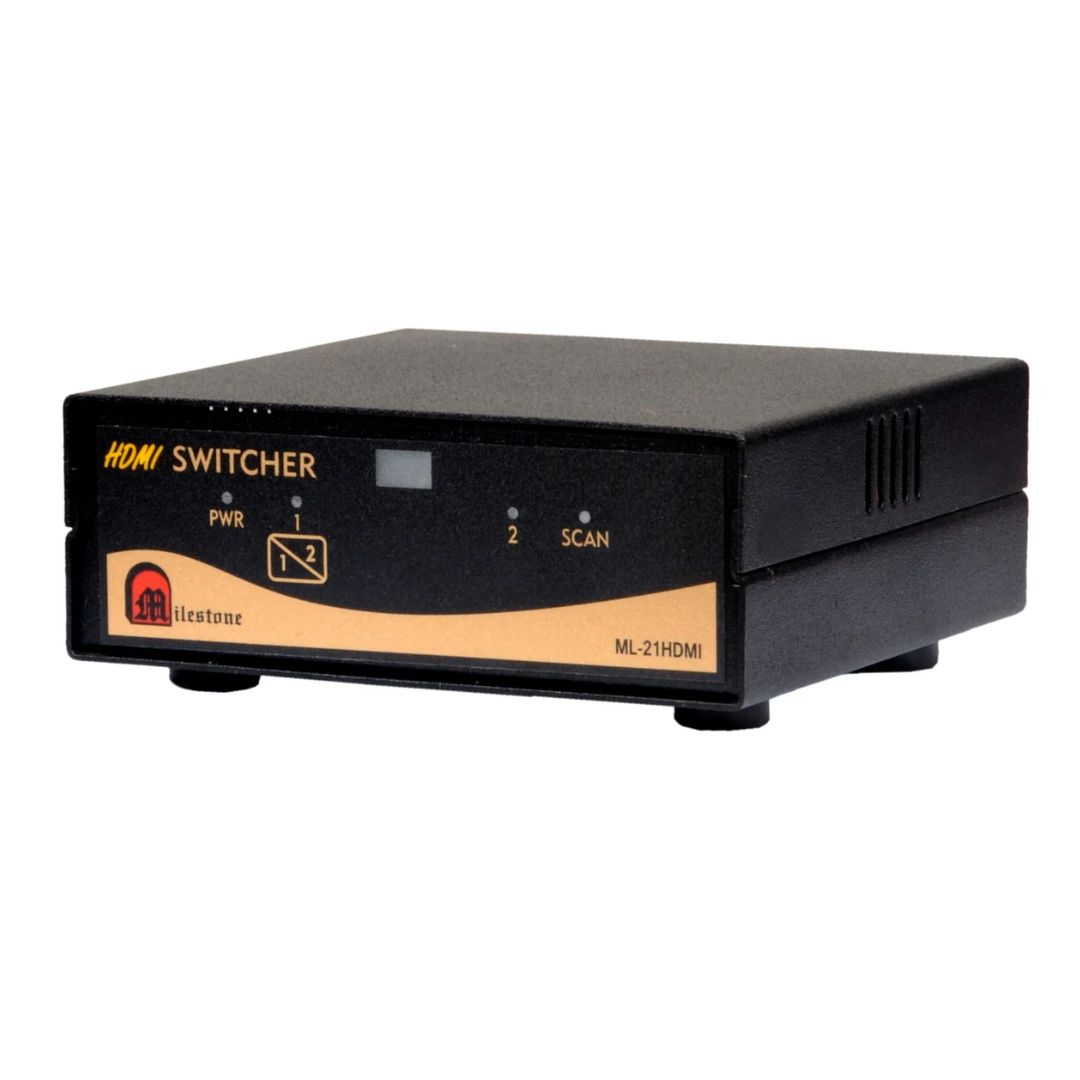
The ML-21HDMI is a compact HDMI switching solution designed for environments where two HDMI...
Ready to order or have a specific requirement?
Our team responds within 24 hours. Bulk pricing, custom solutions, and pan-India delivery are available. Talk to an engineer directly about your setup.