
Milestone Electronics
ML-804USB-2.0
8 IN 4 OUT USB Switcher
The ML-804USB-2.0 is a USB 2.0 switcher with 8 inputs and 4 buffered outputs, enabling multiple computers, laptops, DVRs, NVRs, or DVD players to share USB peripherals such as keyboards, mice, cameras, microphones, and pen drives. It supports keypad, RS232, built-in IR remote, and auto-selection control modes.
- 8 USB 2.0 inputs with 4 buffered USB outputs for high-density peripheral sharing
- Four control modes: local keypad, RS232 interface, built-in IR remote with extender, and auto-selection
- Auto mode detects and switches to the most recently connected input automatically
- RS232 commands sent simultaneously via Tx line whenever a channel is selected
- IR sensor cable extendable up to 30 metres from the unit
Max Resolution
1080p Full HD
Audio Input
Stereo Analogue
Output
Single HDMI
- In-house manufactured
- 2,000+ clients served
- In-house manufactured
- 24hr response
- 2,000+ clients served
Product Overview
What the ML-804USB-2.0 delivers
The ML-804USB-2.0 USB Switcher from Milestone Electronics is designed to allow multiple host computers, laptops, DVD players, DVRs, or NVRs to share a common set of USB 2.0 peripherals. With 8 USB inputs and 4 buffered USB outputs, the unit is suited to environments where several computers require access to the same keyboards, mice, cameras, microphones, or pen drives without repeated plug-and-unplug operations.
The switcher supports full USB 2.0 compatibility across all ports and provides four distinct channel control methods. Operators can select channels directly from the front panel keypad, send commands via the RS232 serial interface, use the supplied IR-8 remote control on the built-in IR sensor, or rely on the auto-selection mode which automatically activates the most recently connected input.
Auto mode continuously monitors all inputs. If a new USB device or host is connected, the switcher transitions to that input automatically. If the currently active input is disconnected, the unit falls back sequentially from channel 1 through 8 to locate the next available connected input. LED indicators on the front panel confirm which channel is currently active at all times.
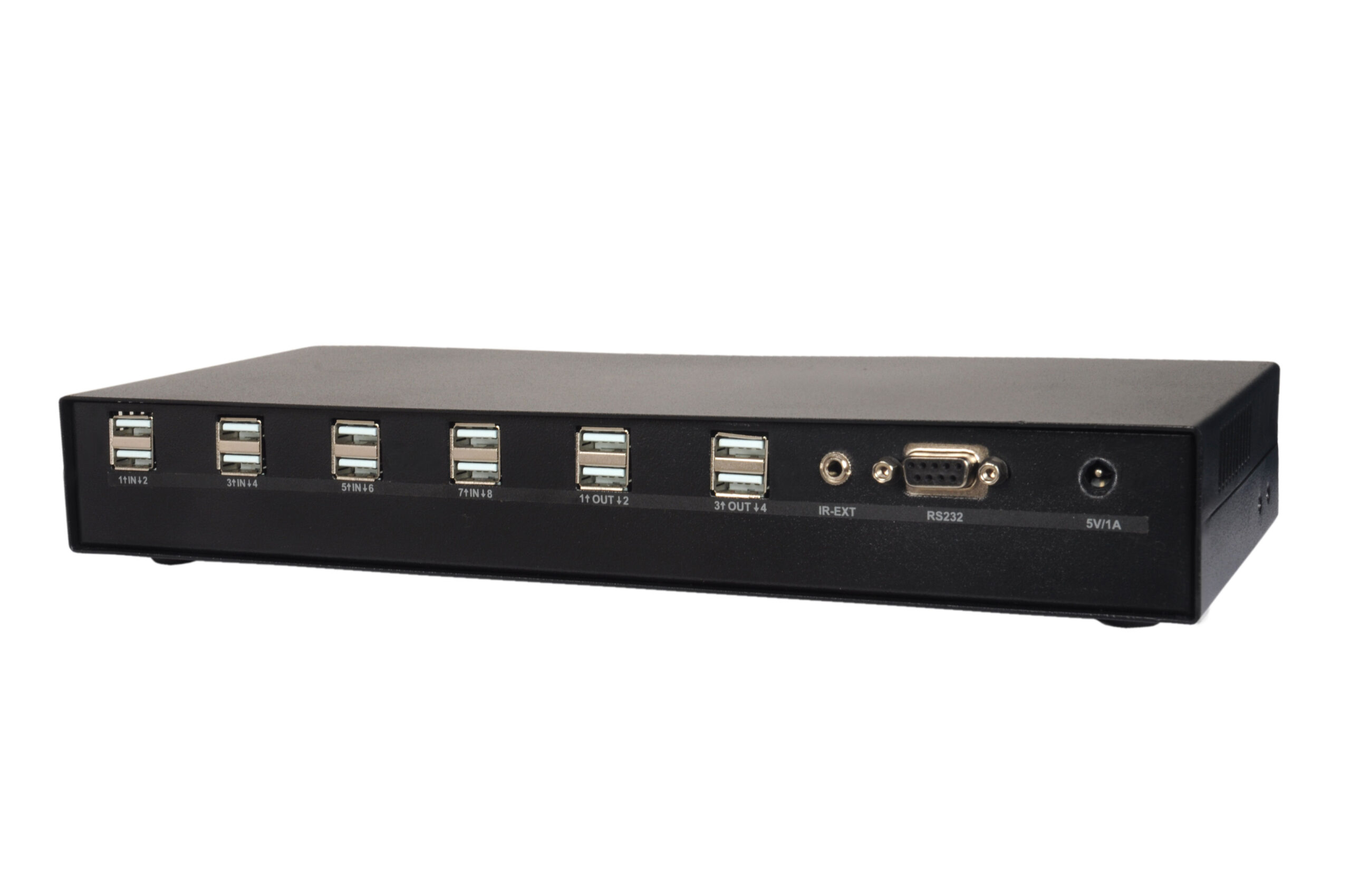
The RS232 interface uses a D9 female connector on the rear panel and operates at 9600 baud, no parity, 8-bit data, 1 stop bit. Whenever any channel is selected by any method, the corresponding RS232 command is simultaneously transmitted via the Tx line, enabling integration with automation systems. The IR sensor on the front panel can also be extended up to 30 metres using the rear-panel EP connector, making the unit suitable for rack-mounted or concealed installations.
USB Inputs
Need a quote?
Our team responds within 24 hours with a tailored quote for your project or bulk order.
Key Features
8-port USB 2.0 switching with four independent control modes
The ML-804USB-2.0 enables high-density USB peripheral sharing across 8 input sources and 4 buffered outputs, with flexible control options suited to both manual and automated environments.
8 Inputs and 4 Buffered USB 2.0 Outputs
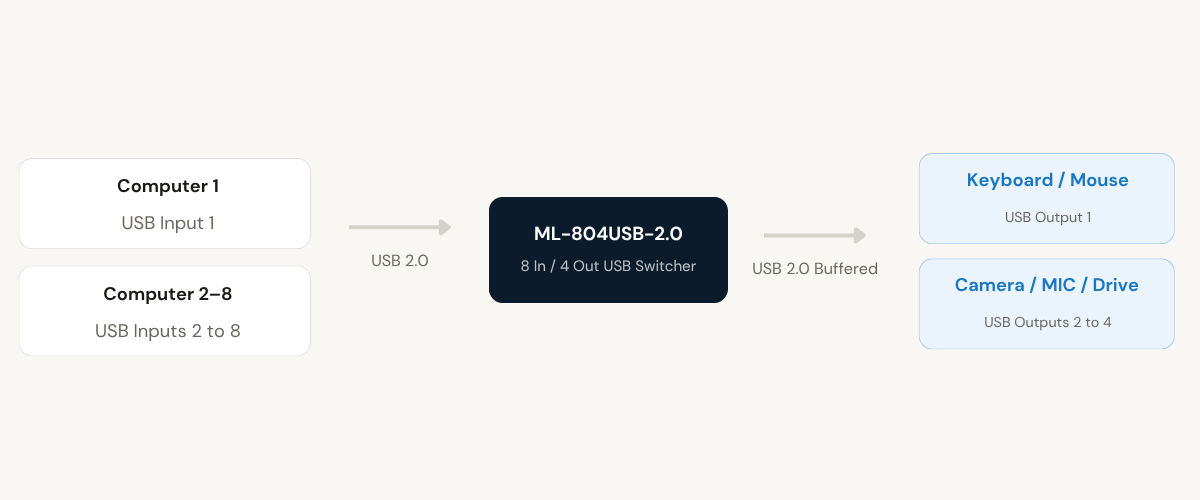
The switcher provides 8 USB input ports and 4 buffered USB output ports, all fully compatible with USB 2.0. This allows up to 8 host computers or source devices to share up to 4 USB peripherals simultaneously, covering keyboards, mice, cameras, microphones, and pen drives without driver installation.
- 8 USB inputs for host computers, laptops, DVRs, NVRs, or DVD players
- 4 buffered USB outputs for connected peripherals
- Full USB 2.0 compatibility across all ports
Front Panel Keypad with LED Channel Indication
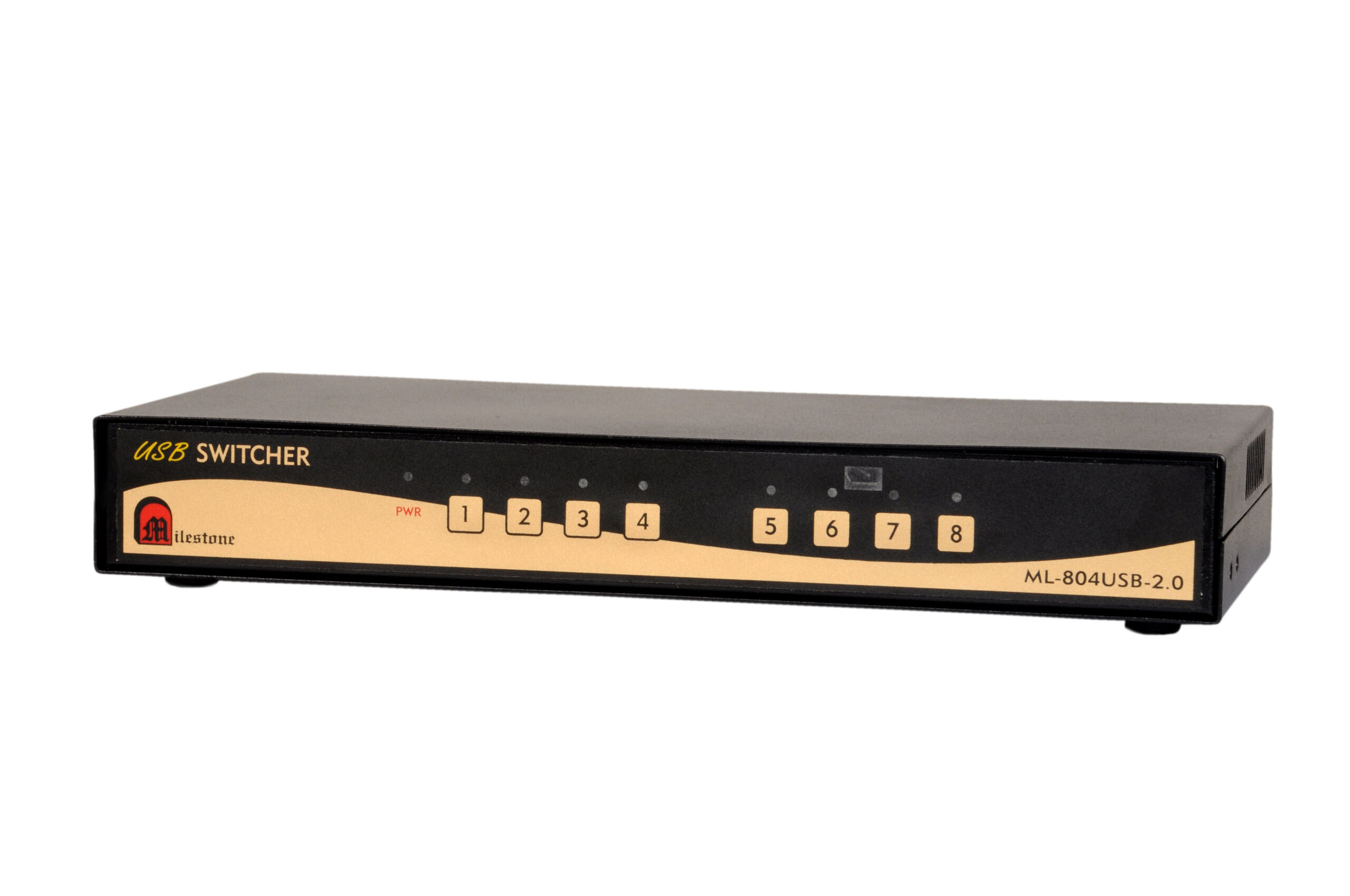
All 8 channels are individually selectable from the front panel keypad. Dedicated LED indicators for each channel (1 to 8) plus a power LED give clear real-time feedback on the active channel without requiring any connected display or external monitoring tool.
- Individual push-button selection for channels 1 through 8
- LED per channel and dedicated power LED on front panel
- Immediate visual confirmation of the active input at all times
RS232 Interface for System Integration
A D9 female RS232 connector on the rear panel allows the switcher to be controlled by external automation or control systems. Channel selection commands are sent as ASCII or decimal codes at 9600 baud, no parity, 8 data bits, and 1 stop bit. The selected channel command is also simultaneously echoed back via the Tx line for system feedback.
- D9F RS232 connector on rear panel (pins 2 Tx, 3 Rx, 5 GRD)
- 9600 baud, no parity, 8-bit, 1 stop bit communication parameters
- Selected channel echoed via Tx for closed-loop system confirmation
Built-in IR Remote with Extendable Sensor
The unit includes an integrated IR sensor on the front panel and an IR-8 remote control. For rack-mounted or enclosed installations, the rear-panel EP connector accepts an external IR sensor cable, extending the IR receive range up to 30 metres from the unit. This allows remote control without direct line of sight to the unit.
- Bandwidth: up to 90 MHz (-3dB)
- Signal level: 1V peak-to-peak (supported range: 0.4V to 1.4V)
- 75-ohm impedance for accurate signal matching
Automatic Input Detection and Fallback
In auto mode, the switcher monitors all inputs continuously. When a new input is connected, the unit switches to it automatically. If the currently selected input is disconnected, the switcher automatically falls back to the next available channel starting from channel 1, ensuring uninterrupted USB peripheral access without manual intervention.
- Auto-switches to most recently connected input
- Falls back to next available channel from 1 to 8 on disconnection
- No manual intervention needed for common connect and disconnect events
Plug-and-Play Installation
The ML-804USB-2.0 requires no software drivers or configuration utilities. Devices connected to the USB output ports are recognised by the host computer on the active input channel without any additional setup. The unit is powered by a 5V/1A DC supply and is ready for immediate use upon connection.
- No software or driver installation required
- 5V/1A DC power, compact tabletop form factor
- Immediate operation upon power and USB connection
Installation
Step-by-step connection procedure
The ML-804USB-2.0 is a plug-and-play device requiring no drivers. Follow the steps below to connect and operate the switcher in your environment.
01
Connect USB Source Devices to the Inputs
Connect up to 8 host computers, laptops, DVRs, NVRs, or DVD players to the USB input ports (1 through 8) on the ML-804USB-2.0. Use standard USB 2.0 cables for each connection. No driver installation is required on any host device.
02
Connect USB Peripherals to the Outputs
Connect up to 4 USB peripherals such as keyboards, mice, cameras, microphones, or pen drives to the 4 buffered USB output ports on the unit. These peripherals will be shared across the connected input sources based on the selected channel.
03
Connect Optional RS232 and IR Extender
If RS232 control is required, connect the control system cable to the D9F RS232 connector on the rear panel (pin 2 Tx, pin 3 Rx, pin 5 GRD). If the IR sensor needs to be positioned remotely, connect an IR sensor cable to the EP connector on the rear panel. The IR sensor cable can be extended up to 30 metres from the unit.
04
Power On and Select Operating Mode
Apply 5V/1A DC power to the unit. The switcher is immediately operational. Use the front panel keypad to select a channel manually, use the supplied IR-8 remote, send RS232 commands, or set the unit to auto mode. In auto mode the unit will automatically select inputs as they are connected, and fall back to the next available channel if the active input is removed.
Where the ML-804USB-2.0 performs
Designed for professional environments where multiple computers or recording devices require shared access to common USB peripherals without repeated cable changes or manual reconnection.
Control Rooms with Multiple Workstations
Allow operators across 8 workstations to share a common set of USB peripherals, including keyboards, mice, and cameras, without duplicating equipment. Channel selection via RS232 enables integration with existing room control systems.
DVR and NVR Installations
Connect multiple DVRs, NVRs, and associated computers to a shared USB keyboard and mouse setup. Operators can switch between devices without physically reconnecting peripherals, reducing wear on USB ports and minimising downtime during device changes.
Broadcast and Production Studios
Share USB audio interfaces, microphones, and capture devices across multiple production computers in a studio environment. The buffered output design ensures peripheral signals remain stable and clean regardless of which input is selected.
Training and Computer Labs
Enable a trainer or lab administrator to connect a shared USB drive, camera, or input device across up to 8 student or training computers. Auto mode ensures the device is always routed to the most recently active computer without manual switching.
Server Rooms and IT Infrastructure
Provide shared USB keyboard and mouse access across server units or rack-mounted computers without requiring a separate KVM for each server. The RS232 interface allows the switcher to be integrated into existing IT management and automation systems.
Industrial Automation and Machine Control
Route USB input devices among multiple industrial computers or HMI terminals on a production floor. The unit's RS232 control interface enables it to be triggered by automation controllers, and the IR extender option allows remote operation in confined or shielded enclosures.
Full specification sheet
- Model — ML-804USB-2.0
- Control Interfaces
- Operating Modes
- RS232 Channel Commands
- Physical and Power
FAQs about the ML-804USB-2.0
What types of USB devices can be shared using the ML-804USB-2.0?
The ML-804USB-2.0 is designed to share USB 2.0 devices including keyboards, mice, cameras, microphones, and pen drives across multiple host computers or source devices. All output ports are buffered USB 2.0 connections, fully compatible with standard USB 2.0 peripherals. The switcher is not intended for high-bandwidth USB devices such as USB 3.0 hard drives or high-speed USB audio interfaces that exceed USB 2.0 bandwidth requirements.
What host devices can be connected to the USB inputs?
The USB inputs accept connections from any USB 2.0 host device. This includes desktop computers, laptops, DVD players, DVRs, and NVRs. Up to 8 such host devices can be connected simultaneously. No driver installation is required on any host device; the switcher operates as a standard USB hub from the perspective of each connected host.
How does auto-selection mode work on the ML-804USB-2.0?
In auto-selection mode, the switcher monitors all 8 input ports continuously. Whenever a new device is connected to any input port, the switcher automatically activates that input channel. If multiple inputs are connected simultaneously, the input that was connected most recently will remain active. If the currently selected input is disconnected, the switcher automatically falls back to the next available channel, scanning from channel 1 through to channel 8 to find a connected input.
What are the RS232 channel selection commands and communication settings?
The RS232 interface uses a D9 female connector on the rear panel with pin 2 as Tx, pin 3 as Rx, and pin 5 as ground. Communication parameters are 9600 baud, no parity, 8-bit data, and 1 stop bit. Channels are selected by sending commands in the format “N!” where N is the channel number from 1 to 8. For example, sending “1!” selects channel 1, and “8!” selects channel 8. The corresponding decimal values are the ASCII code for the number followed by 21. Whenever any channel is selected by any method, the same RS232 command is simultaneously transmitted via the Tx line, allowing the control system to receive confirmation of the active channel.
How far can the IR sensor be extended from the unit?
The ML-804USB-2.0 includes an EP connector on the rear panel for connecting an external IR sensor cable. This cable can be extended up to 30 metres from the unit. This is particularly useful when the switcher is installed inside a rack enclosure, cabinet, or AV rack where direct line-of-sight to the front panel IR sensor is not available. The front panel IR sensor remains functional and does not need to be disabled when the IR extender cable is used.
Can multiple control methods be used at the same time?
Yes. The ML-804USB-2.0 supports four independent control methods: front panel keypad, RS232 serial interface, built-in IR remote using the supplied IR-8 remote, and auto-selection mode. Any of these methods can be used at any time, and the unit responds to whichever control input is received first. When a channel is changed by any method, the corresponding RS232 command is always echoed via the Tx line regardless of how the selection was made, ensuring that any connected control system remains in sync with the active channel state.
Does the unit require software installation or configuration on host computers?
No software installation or configuration is required on any of the host computers or connected devices. The ML-804USB-2.0 is a plug-and-play device. Host computers connected to the USB input ports recognise the shared USB peripherals automatically through the standard USB 2.0 protocol. The unit is powered by a 5V/1A DC supply and begins operating as soon as power is applied and USB connections are made, without requiring any setup procedure.
What is the difference between the ML-402USB-2.0 and the ML-804USB-2.0?
Both models are from the same USB Switcher product range by Milestone Electronics and share identical features including USB 2.0 compatibility, local keypad control, built-in IR remote with extender support, RS232 interface, and auto-selection mode. The key difference is capacity. The ML-402USB-2.0 provides 4 USB inputs and 2 buffered USB outputs and is suited for smaller setups. The ML-804USB-2.0 provides 8 USB inputs and 4 buffered USB outputs and is designed for larger installations where more host devices and peripherals need to be accommodated. The ML-804USB-2.0 is also physically larger, measuring 310 x 115 x 51 mm and weighing 900 gm compared to 182 x 101 x 51 mm and 700 gm for the ML-402USB-2.0.
Products you may also need
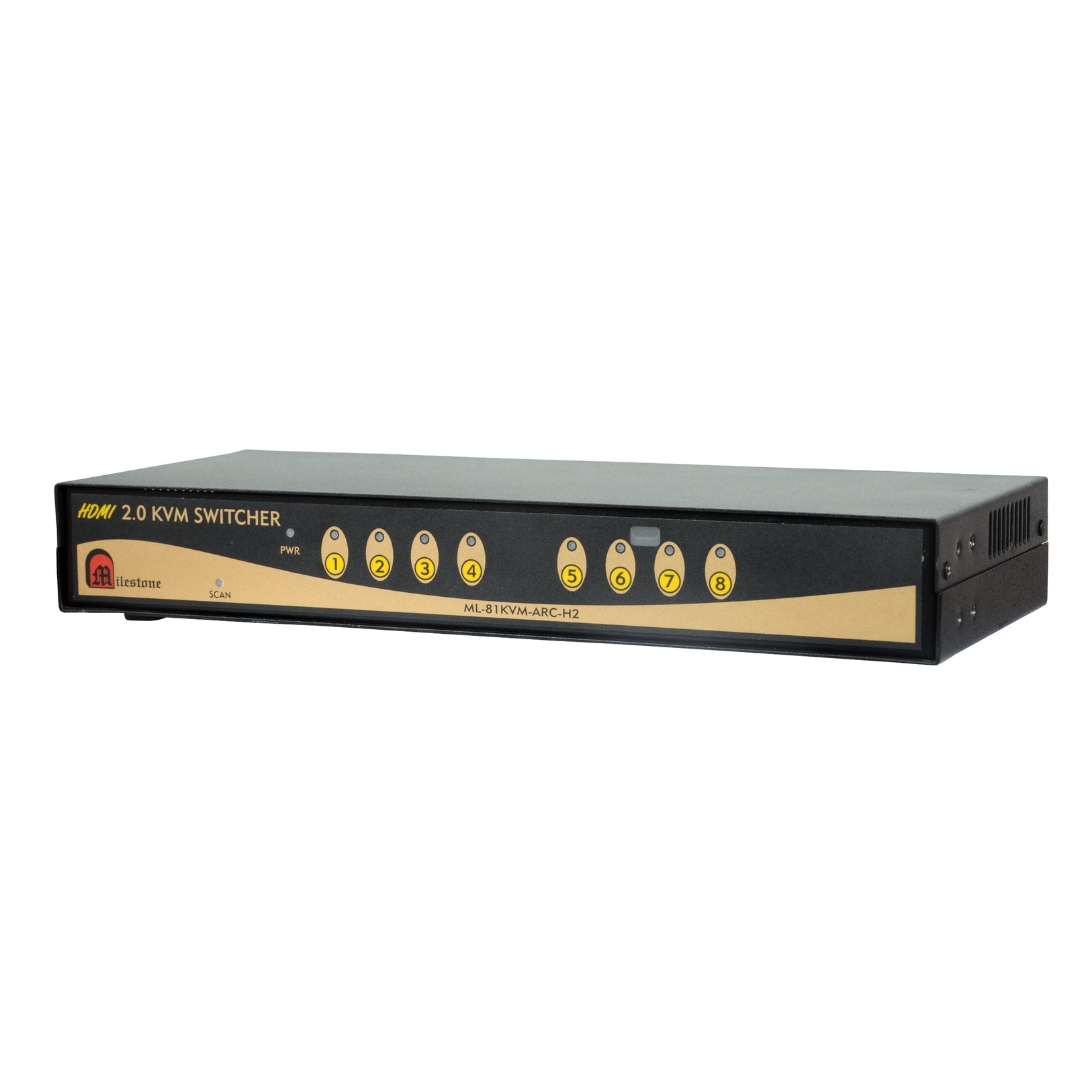
The ML-81KVM-ARC-H2 is a professional 8x1 HDMI KVM switch supporting 4K@60Hz 4:4:4 with 18Gbps...
Ready to order or have a specific requirement?
Our team responds within 24 hours. Bulk pricing, custom solutions, and pan-India delivery are available. Talk to an engineer directly about your setup.