
Milestone Electronics
4 In 1 Out HDMI 2.0 Switcher with ARC and Audio Outputs
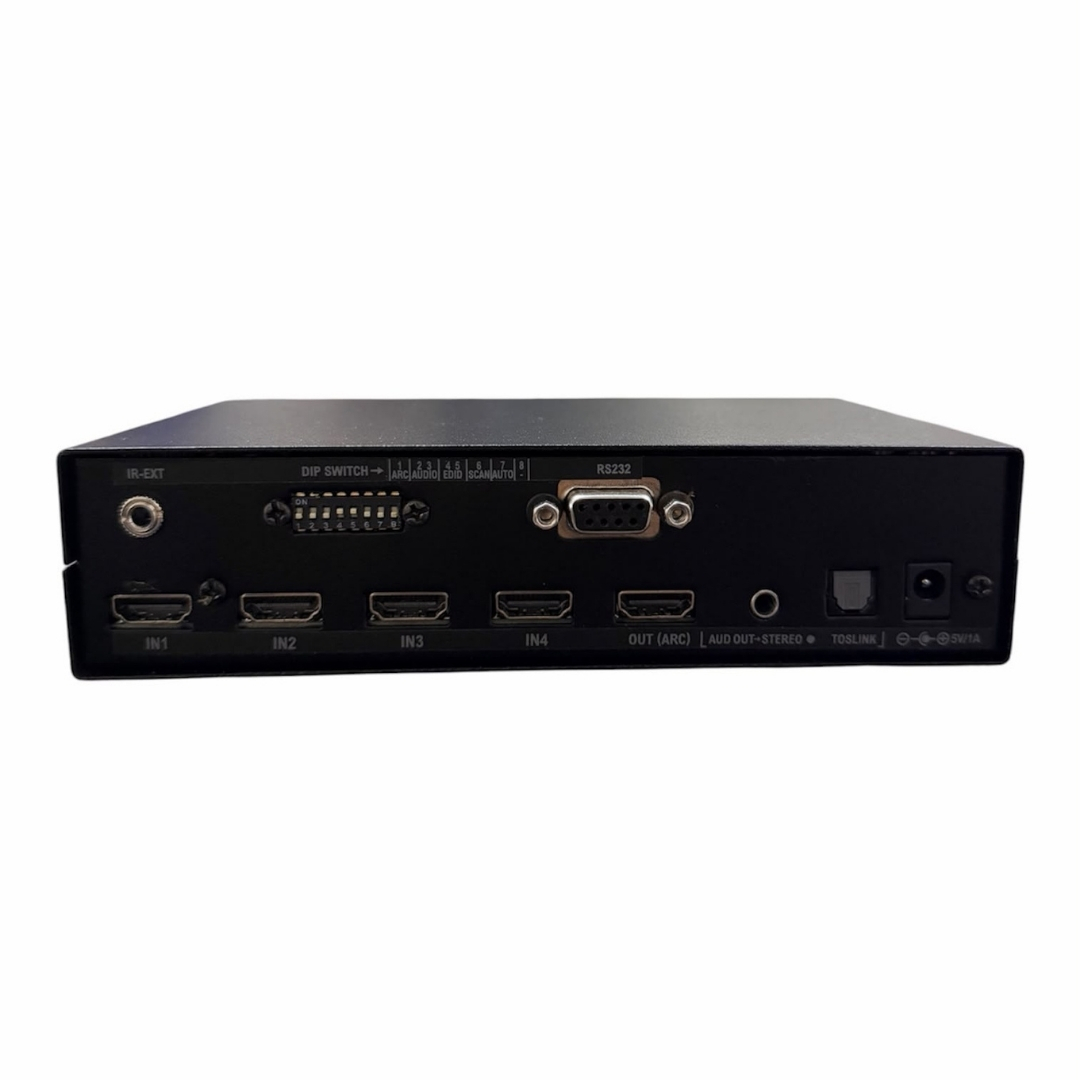
The ML-41HD-ARC-H2 is a 4-input HDMI switcher supporting 4K at 60Hz, ARC-enabled HDMI output, and dual audio outputs. It includes EDID management, RS232 control, IR remote operation, and multiple switching modes for professional AV installations.
- 4 HDMI inputs with 1 HDMI output supporting ARC enable or disable
- 4K x 2K at 60Hz with 4:4:4 colour support and 3D format compatibility
- Analog stereo and 8-channel digital SPDIF audio outputs
- Three operating modes: Manual, Auto with fallback, and Scan
- RS232, built-in IR remote, and front panel keypad for channel control
Max Resolution
1080p Full HD
Audio Input
Stereo Analogue
Output
Single HDMI
- In-house manufactured
- 2,000+ clients served
Product Overview
What makes the ML-41HD-ARC-H2
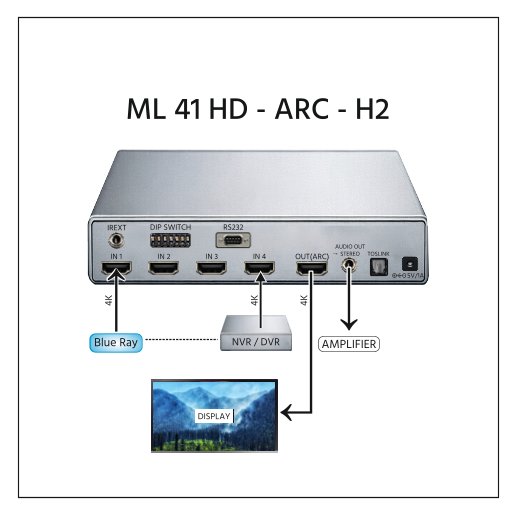
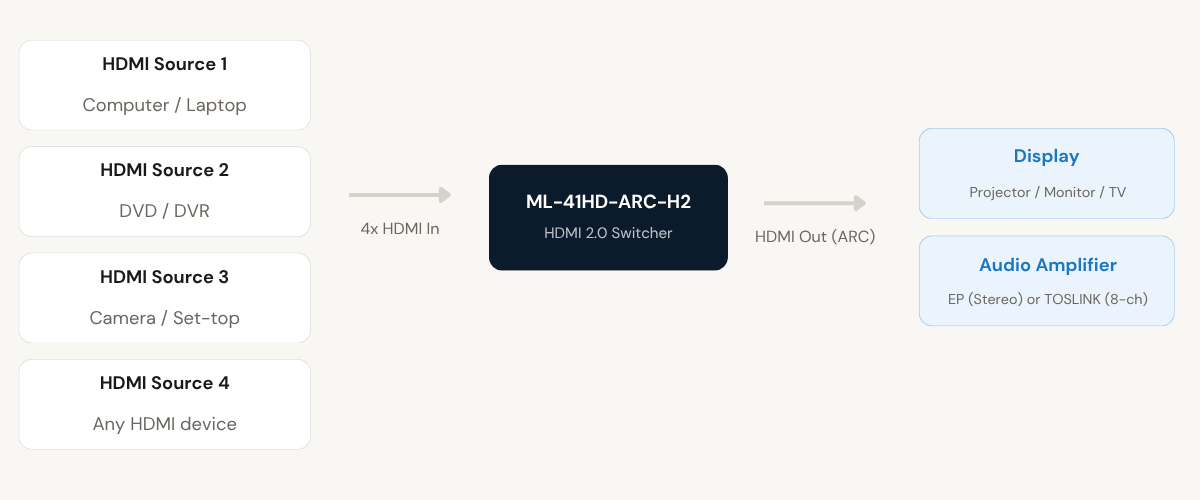
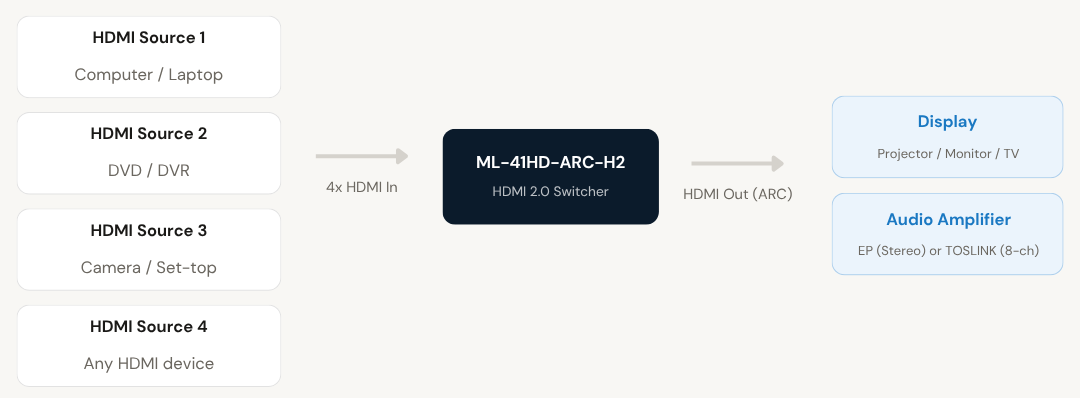
The ML-41HD-ARC-H2 is an HDMI 2.0 switcher that accepts four HDMI source devices and routes them to a single projector, monitor, or TV. It is designed for professional AV environments where multiple HDMI devices need to share a single high-resolution display without manual cable swapping.
The unit uses equalisation and re-clocking technology to maintain signal integrity across all connected inputs. The HDMI output supports Audio Return Channel (ARC), which can be enabled or disabled via the DIP switch, allowing audio to be sent back from the display to a connected amplifier or sound system.
Two dedicated audio outputs are provided: an EP connector for analog stereo and a TOSLINK connector for 8-channel digital audio (SPDIF). This allows the switcher to function as an audio distribution point, delivering up to 8-channel high-quality audio output for home entertainment or professional AV setups.
EDID management is built in and configurable through DIP switch settings, with support for 4K at 60Hz, 4K at 30Hz, 1080P at 60Hz, and 720P at 60Hz. A battery-backed memory retains the last selected channel across power cycles, ensuring the system boots to the correct source without manual reselection.
HDMI Inputs
Need a quote?
Our team responds within 24 hours with a tailored quote for your project or bulk order.
Key Features
Built for high-resolution AV switching
4K HDMI 2.0 switching with ARC, dual audio outputs, EDID management, and multiple control options in a single tabletop unit.
4K HDMI 2.0 Video Switching
The switcher supports HDMI 2.0 with resolutions up to 4K x 2K at 60Hz, including 4:4:4 colour format and 3D content. DVI input compatibility is also supported, making it suitable for legacy and modern source devices.
- 4K x 2K at 60Hz with 4:4:4 colour support
- 3D format compatible
- DVI input compatible
- Equalisation and re-clocking technology for signal integrity
Dual Audio Outputs with ARC
Two independent audio outputs are provided for connecting to amplifiers or audio systems. The HDMI output supports ARC (Audio Return Channel), which can be toggled on or off via DIP switch settings.
- EP connector for analog stereo output
- TOSLINK connector for 8-channel digital SPDIF output
- ARC enable or disable via DIP switch
- Supports up to 8-channel high-quality audio for surround setups
Multiple Control Options
Channel selection is supported through three independent control methods, providing flexible operation for different installation environments. All control interfaces can be used in Manual and Auto modes.
- Front panel keypad for channels 1 to 4
- Built-in IR remote control included
- IR extender connector (EP) for remote sensor up to 30 metres
- RS232C interface via D9F connector
EDID Management
The built-in EDID management system is configurable via the 8-bit DIP switch. It allows the user to set the display resolution communicated to connected HDMI sources, ensuring optimal compatibility across devices.
- 4K at 60Hz EDID mode
- 4K at 30Hz EDID mode
- 1080P at 60Hz EDID mode
- 720P at 60Hz EDID mode
Three Operating Modes
The DIP switch on the rear panel allows the user to pre-configure the operating mode before power-on. Manual mode allows direct selection, Auto mode detects active inputs and switches automatically, and Scan mode cycles through all active inputs at a configurable interval.
- Manual mode: selection via keypad, IR remote, or RS232
- Auto mode: automatically selects active input with auto fallback
- Scan mode: cycles through active inputs at 10 to 150 second intervals
Battery Backup Memory and CEC Support
An internal battery backup memory stores the last selected channel so the unit boots to the correct input after a power interruption. CEC (Consumer Electronics Control) functions are also supported for integrated AV system control.
- Last-channel memory retained across power cycles
- CEC functions supported
- LED indication for active channel and Scan mode status
Installation
Setup and operating mode configuration
The ML-41HD-ARC-H2 is a plug-and-play tabletop unit. Operating modes, EDID settings, ARC, and audio pass-through are all configured via the 8-bit DIP switch on the rear panel before powering on the unit.
01
Hardware Connection
Connect up to four HDMI source devices (computers, laptops, DVD players, DVRs, or cameras) to the HDMI input ports. Connect the HDMI output to the display device. For audio extraction, connect the EP connector to an analog stereo amplifier or the TOSLINK connector to a digital audio system. Power the unit using the included 5V 1A DC adapter. No drivers are required: the unit is plug-and-play.
02
DIP Switch Configuration
Before powering on, set the 8-bit rear DIP switch to configure operating mode (Manual, Auto, or Scan), ARC on or off, audio pass-through (Pass, 2.1, or 5.1), and EDID resolution (4K at 60Hz, 4K at 30Hz, 1080P at 60Hz, or 720P at 60Hz). Scan timing is independently configurable in 10-second increments from 10 to 150 seconds using a separate DIP switch procedure at power-on.
Where the ML-41HD-ARC-H2 performs
Suitable for professional and commercial AV environments requiring reliable 4K HDMI source switching with integrated audio output.
Corporate Boardrooms
Share multiple HDMI sources such as laptops, computers, and video conferencing cameras on a single display or projector. Auto mode with fallback switching ensures seamless transitions between presenter devices without manual intervention.
Home Entertainment Systems
Connect multiple HDMI devices such as DVD players, DVRs, gaming consoles, and set-top boxes to a single TV. The 8-channel digital audio output and ARC support allow connection to home theatre audio systems for multi-channel sound.
Education and Training Rooms
Switch between instructor computers, document cameras, and media playback devices during lessons or training sessions. Scan mode can be used to cycle through content sources at timed intervals for display or demonstration purposes.
Command and Control Rooms
Manage multiple HDMI video feeds from cameras, monitoring systems, or computers on a centralised display. RS232 interface enables integration with room control systems and automation processors for programmatic channel switching.
Retail and Digital Signage
Rotate content from multiple media players or computers on a display using Scan mode. Configurable scan intervals from 10 to 150 seconds allow timed content rotation without any external control system.
Broadcast and Event AV
Use in live event or broadcast environments to switch between multiple 4K HDMI sources for projection or display output. The SPDIF digital audio output supports integration with professional audio mixing and amplification equipment.
Full specification sheet
- Video
- Audio
- Control
- Operating Modes
- EDID Management
- Physical and Power
FAQs about the ML-41HD-ARC-H2
What types of signals does the ML-41HD-ARC-H2 switch?
The ML-41HD-ARC-H2 switches HDMI 2.0 video and audio signals from four input sources to a single HDMI output. It also provides two independent audio outputs: an analog stereo EP output and an 8-channel digital TOSLINK (SPDIF) output, which can be used simultaneously with the HDMI output.
What is the maximum video resolution supported?
The switcher supports HDMI 2.0 resolutions up to 4K x 2K at 60Hz with 4:4:4 colour format. It also supports 3D content. EDID management can be set to 4K at 60Hz, 4K at 30Hz, 1080P at 60Hz, or 720P at 60Hz using the rear DIP switch.
How is the operating mode selected?
The operating mode is set using DIP switches 6 and 7 on the rear panel before powering on the unit. Both switches off sets Manual mode, switch 7 on sets Auto mode with fallback, and switch 6 on sets Scan mode. In Manual and Auto modes, channel selection is available through the front panel keypad, IR remote, and RS232. In Scan mode, only IR remote selection is available.
Can the ARC function be turned off?
Yes. ARC is controlled by DIP switch 1. Setting switch 1 to OFF disables ARC; setting it to ON enables ARC. This allows the HDMI output to be configured for installations where ARC functionality is not required or may conflict with the connected display.
What happens to the selected channel after a power interruption?
The unit includes a battery backup memory that stores the last selected channel before power was removed. On power-on, the switcher automatically returns to the same channel that was active at the time of power-off, along with all DIP switch-configured parameters. In Scan mode, scanning restarts from channel 1 after power-on.
How is the scan interval configured?
Scan interval is set using DIP switches 1 to 4 in a specific power-on procedure. The interval is configurable from 10 to 150 seconds in 10-second steps. To set the time, power off the unit, configure the DIP switch combination as per the scan time table, then press and hold key 1 on the front panel while powering on. The Scan LED will blink to confirm the new interval has been saved to memory.
What RS232 commands are used to switch channels?
RS232 communication uses 9600 baud, no parity, 8-bit data, 1 stop bit via the D9F connector on the rear panel. To select a channel, send the ASCII character for that channel number followed by an exclamation mark. For example, channel 1 is selected by sending “1!” (hex: 31 21), channel 2 by “2!” (hex: 32 21), and so on up to channel 4. The unit also transmits a confirmation string via the RS232 Tx line when a channel is selected.
Is the unit compatible with DVI sources and displays?
Yes. The ML-41HD-ARC-H2 is compatible with DVI inputs and outputs. A standard HDMI-to-DVI adapter or cable can be used to connect DVI source devices or DVI displays. Audio will only be available on the separate EP and TOSLINK outputs in such configurations, as DVI does not carry audio over the connector itself.
Products you may also need
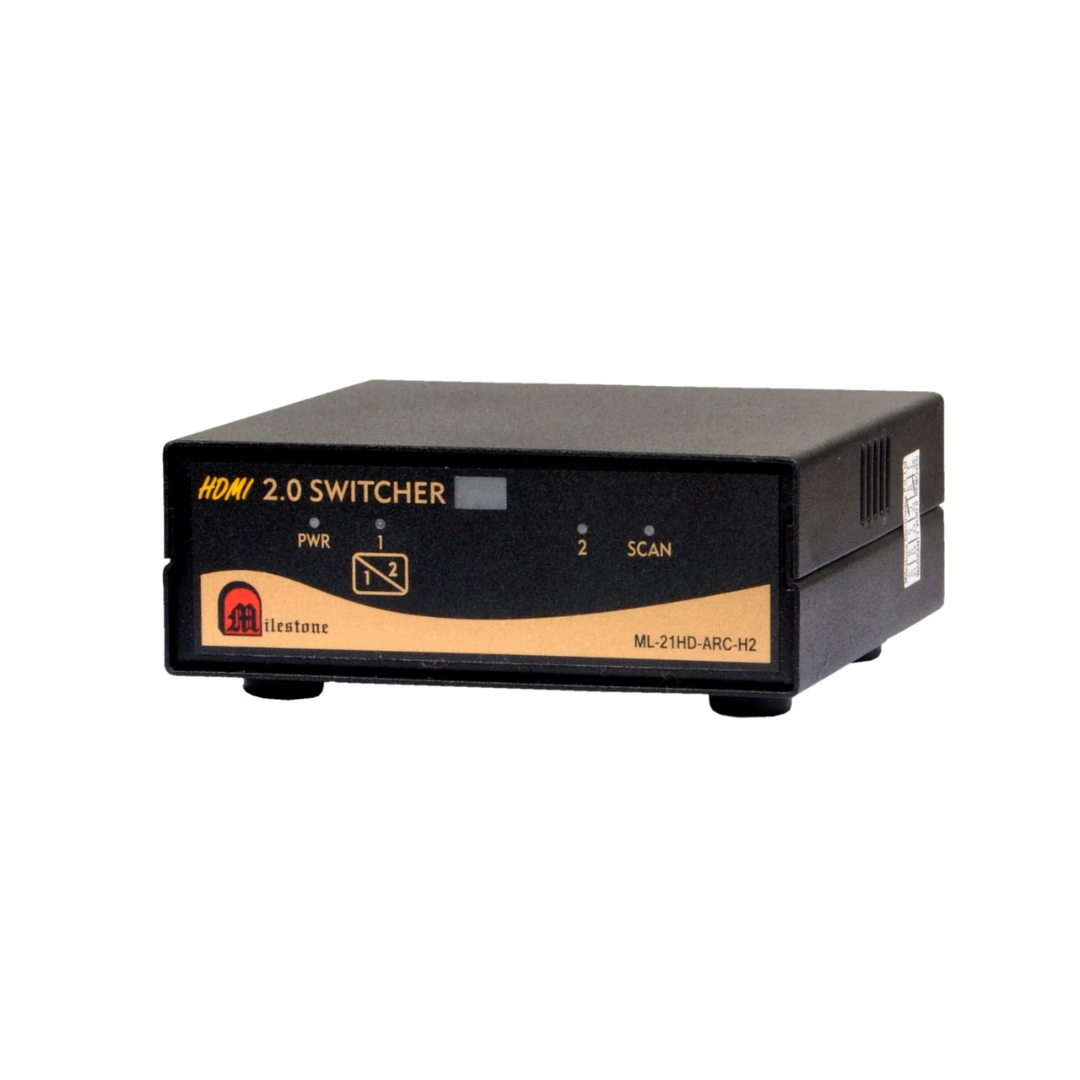
The ML-21HD-ARC-H2 enables switching between two HDMI 2.0 source devices while simultaneously extracting audio...
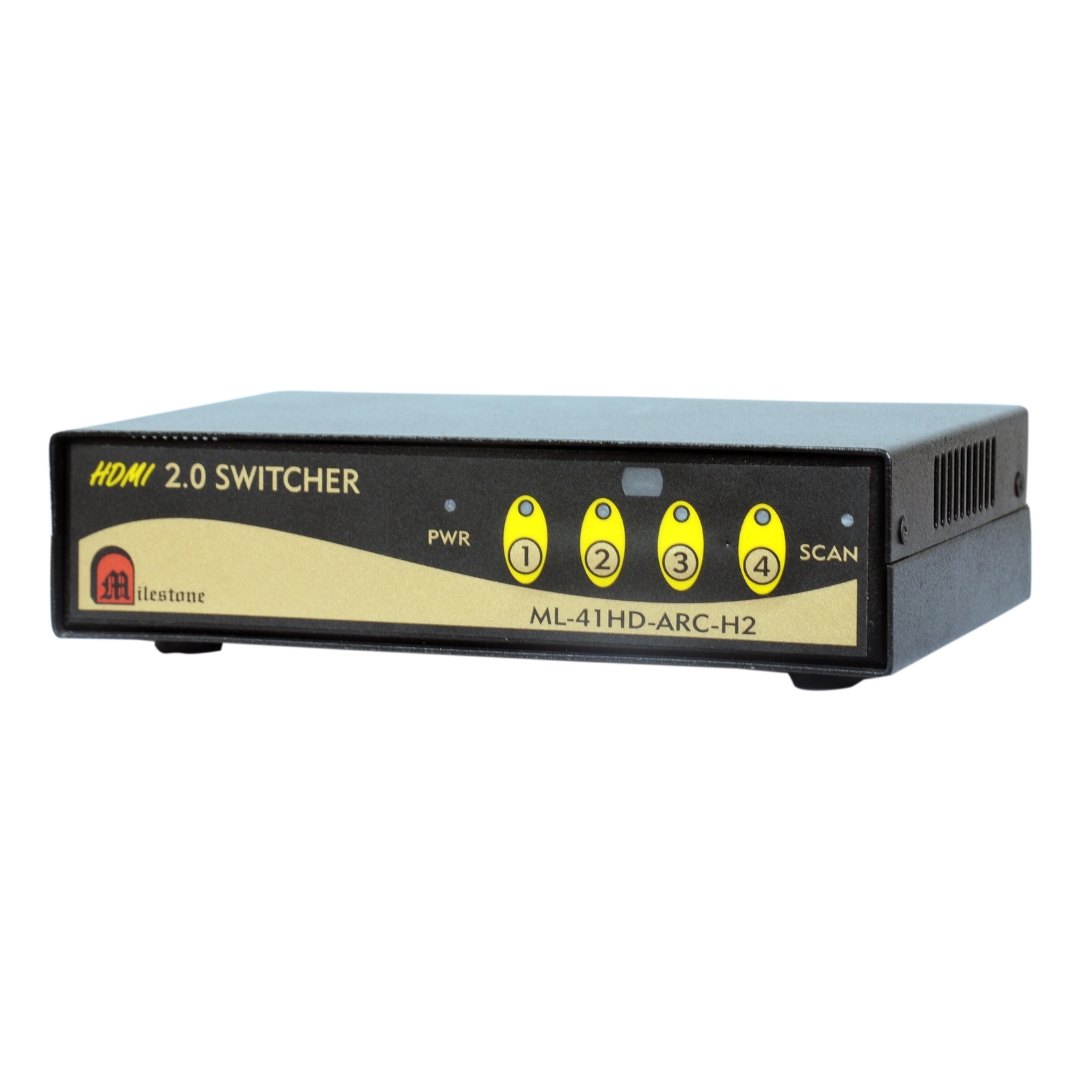
The ML-41HD-ARC-H2 is a 4-input HDMI switcher supporting 4K at 60Hz, ARC-enabled HDMI output,...
Ready to order or have a specific requirement?
Our team responds within 24 hours. Bulk pricing, custom solutions, and pan-India delivery are available. Talk to an engineer directly about your setup.