
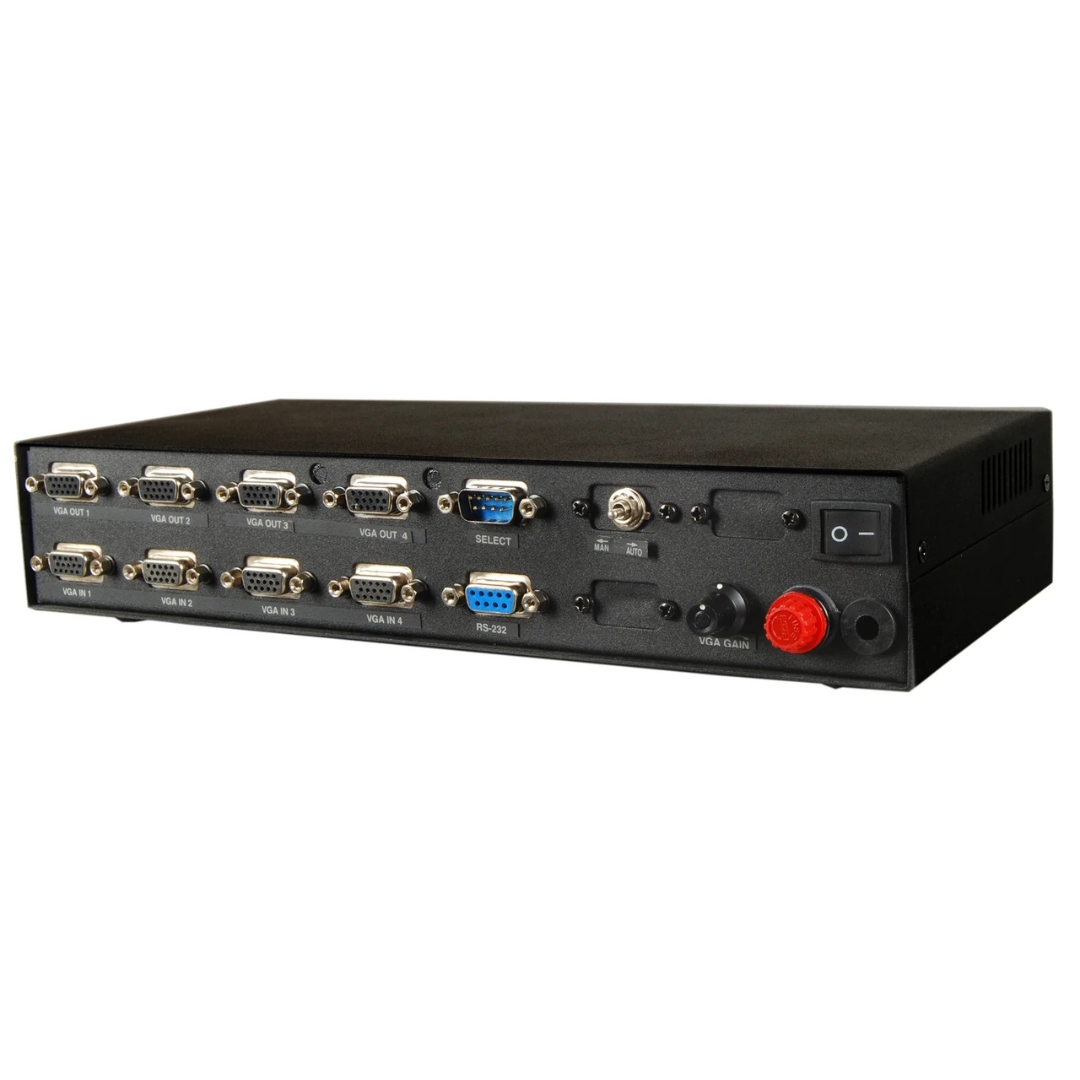
VGA Series
4 CPU to 4 Output VGA Distribution System
The ML 404 VGA Switcher connects four VGA input sources to four output displays, with flexible control options including front panel keypad, remote operation, and RS232 integration. Built-in gain control maintains consistent signal quality across all outputs up to 30 metres.
- Supports up to 4 CPU or laptop VGA inputs simultaneously
- 4 VGA outputs for multi-display distribution across monitors or projectors
- Manual, auto, and scan switching modes for flexible operation
- RS232 interface for system integration and optional RS422/RS485 support
- Stable signal transmission up to 30 metres with built-in gain control
Max Resolution
1080p Full HD
Audio Input
Stereo Analogue
Output
Single HDMI
- In-house manufactured
- 24hr response
- 2,000+ clients served
Product Overview
What makes the ML 404 VGA Switcher
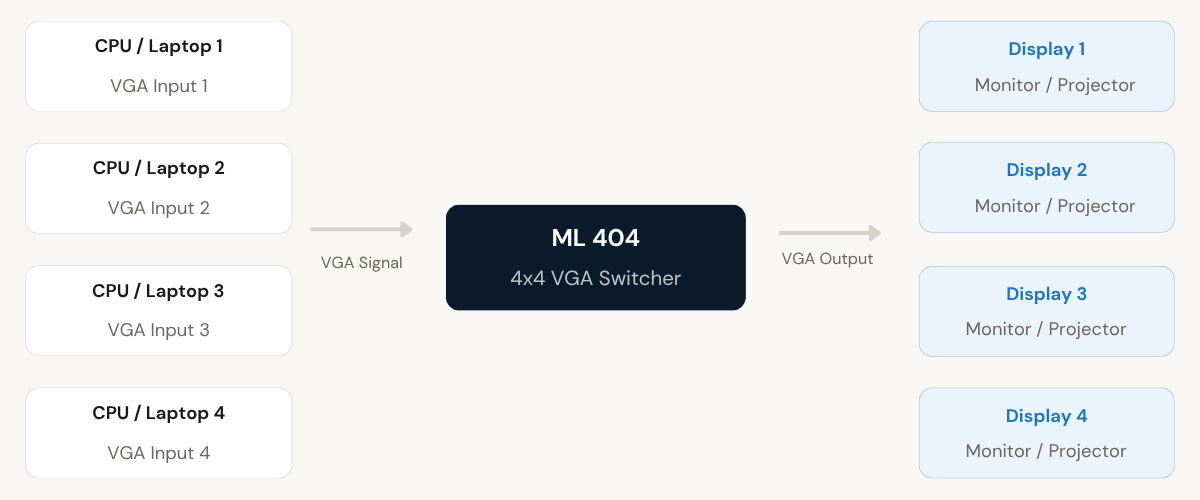
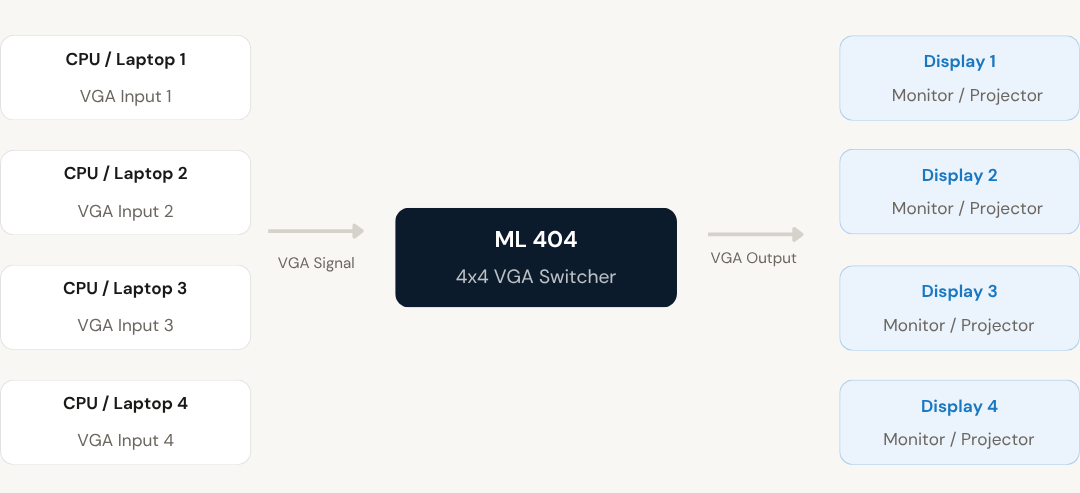
The ML 404 VGA Switcher enables the connection of four input sources, including CPUs and laptops, to four VGA output displays. It allows users to switch between different input sources and display them efficiently on connected screens, making multi-system management straightforward from a single centralised device.
The switcher supports multiple control methods including manual selection via the front panel keypad, optional remote keypad control, remote contact closure for external switching, and RS232 interface for integration into larger AV control systems. Optional RS422/RS485 interface support is also available for extended serial communication requirements.
Three operation modes, namely manual, auto, and scan, provide the flexibility required in dynamic environments. Auto mode prioritises active inputs by channel order, while scan mode cycles through connected devices at fixed intervals. Both active-only and all-device scan configurations are supported.
With built-in gain control and compatibility with VGA, SVGA, and EVGA display standards, the ML 404 maintains consistent signal quality across all four outputs. The compact tabletop design and plug-and-play setup make it suitable for rapid deployment in professional AV environments.
VGA Outputs
Need a quote?
Our team responds within 24 hours with a tailored quote for your project or bulk order.
Key Features
Built for multi-system VGA distribution
Four inputs. Four outputs. Multiple control modes. Stable signal performance across all connected displays.
4x4 VGA Signal Switching
Connect up to four VGA input sources and distribute their signals across four output displays simultaneously. Centralised control eliminates the need for separate display systems for each connected device.
- Supports up to 4 CPU or laptop VGA inputs
- 4 VGA output ports for monitors or projectors
- Centralised management of multiple input sources
Flexible Selection and Control
Multiple control options allow input channel selection based on user preference and environment requirements. The system can be operated locally, remotely, or integrated into automated AV control platforms.
- Front panel keypad for direct local selection
- Optional remote keypad and contact closure control
- RS232 interface for AV system integration
- Optional RS422/RS485 interface support
Multiple Operation Modes
Three switching modes provide adaptability for different use cases. Manual mode gives direct instant control, while auto and scan modes allow automated input management without continuous operator intervention.
- Manual mode for direct channel selection
- Auto mode prioritises active inputs by channel order
- Scan mode cycles through devices at fixed intervals
- Configurable to scan active-only or all connected inputs
Stable Signal Performance
Built-in gain control adjusts output signal levels for optimal viewing across different display configurations. The switcher supports stable VGA signal transmission up to 30 metres without distortion or signal loss.
- Gain-controlled VGA output for clarity across all ports
- Supports VGA, SVGA, and EVGA display standards
- Stable transmission up to 30 metres operating distance
LED Status Indicators
Dedicated LED indicators for channel and power status provide clear visual confirmation of the active input selection and device operating state, enabling rapid status monitoring in busy AV environments.
- Channel status LEDs for active input identification
- Power status indicator for device readiness confirmation
Easy Installation and Integration
The plug-and-play setup requires no complex configuration. Simply connect input and output devices and the system is ready for operation. RS232 control and remote interfaces enable integration into larger AV control environments.
- Plug-and-play setup with no complex configuration required
- Compact tabletop design for easy placement
- RS232 integration support for advanced AV control systems
Installation
Plug-and-play setup with system integration support
The ML 404 VGA Switcher is designed for straightforward installation and can also be integrated into larger AV control environments using its RS232 interface and remote control options.
01
Basic Plug-and-Play Setup
Connect up to four VGA source devices, such as computers or laptops, to the input ports on the ML 404. Connect the four output displays, monitors, or projectors to the corresponding output ports. Power the unit via the 230V AC supply. No additional configuration is required for immediate operation. The front panel keypad allows instant channel selection as soon as the device is powered on.
02
System Integration via RS232
For integration into larger AV systems, connect the ML 404 to a control processor or automation system using the RS232 interface. Optional RS422/RS485 interface support extends compatibility with industrial and long-distance serial control networks. A remote keypad or contact closure device can also be connected for external switching control without physical access to the unit.
Where the ML 404 VGA Switcher performs
Designed for professional environments requiring centralised management of multiple VGA sources across multiple displays with flexible switching control.
Conference Rooms
Switch between multiple presentation sources from different laptops or computers and display them across room screens. Supports quick presenter changeover without physical cable swapping.
Educational Institutions
Allow instructors to display content from multiple systems across classroom or lecture hall screens. Facilitates smooth transitions between teaching stations without interrupting the session.
Control Rooms
Monitor multiple computer systems efficiently using centralised switching. Operators can view and manage several sources across dedicated display outputs from a single switching unit.
Commercial and AV Setups
Suitable for environments requiring multiple display outputs with flexible control options. RS232 integration enables the ML 404 to operate as part of a wider AV automation or control system.
Corporate Offices
Connect multiple workstations to shared display systems in open-plan or multi-desk environments. Reduces hardware overhead by centralising display management across office areas.
Public Display and Signage
Drive multiple VGA screens from different source systems for information display, digital signage, or public-facing kiosks. Scan mode enables automatic rotation between connected content sources.
Full specification sheet
- Video Specifications
- Connectivity
- Control and Operation
- Hardware and Power
- Suitable Environments
FAQs about the ML 404 VGA Switcher
What does the ML 404 VGA Switcher do?
The ML 404 VGA Switcher lets you connect up to 4 computers or laptops and display them across 4 screens. It helps you manage multiple systems easily from one central device without requiring separate display setups for each computer.
Can I display different inputs on different screens?
Yes, the ML 404 VGA Switcher allows flexible switching, so you can choose which input is shown on which display. This makes it useful for setups that need multiple outputs at once, such as control rooms or conference rooms with several screens.
How can I control and switch between inputs?
You can control the switcher using the front panel keypad, optional remote keypad, or remote contact closure for external switching. RS232 integration is also supported for use within larger AV control systems, with optional RS422/RS485 interface available as well.
What is the benefit of auto and scan modes?
Auto mode selects active inputs based on signal priority, giving preference to lower channel numbers when multiple signals are detected. Scan mode cycles through all connected inputs automatically at fixed intervals, which helps in monitoring multiple systems without requiring manual switching by the operator.
Is the ML 404 VGA Switcher suitable for professional environments?
Yes, it offers stable signal performance, gain control, and flexible integration options. This makes it a reliable choice for conference rooms, control rooms, educational institutions, and commercial AV setups requiring centralised multi-system display management.
What display standards does the ML 404 support?
The ML 404 VGA Switcher is fully compatible with VGA, SVGA, and EVGA display standards, ensuring wide compatibility with a broad range of monitors and projectors commonly used in professional AV environments.
What is the maximum cable distance supported for signal transmission?
The ML 404 supports stable VGA signal transmission up to 30 metres. Built-in gain control helps maintain consistent video quality and clarity across all four output ports within this operating distance, without signal distortion or loss.
Products you may also need
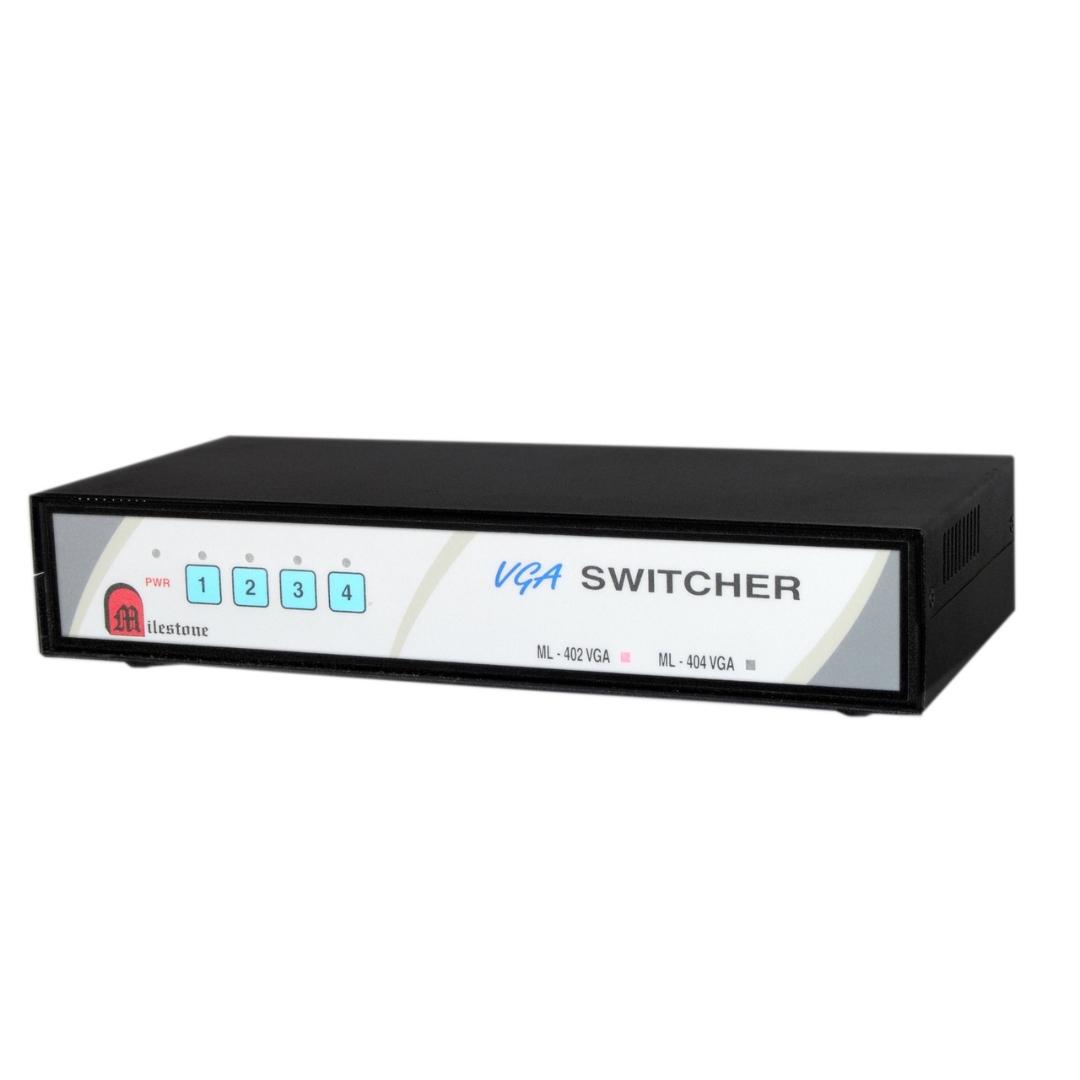
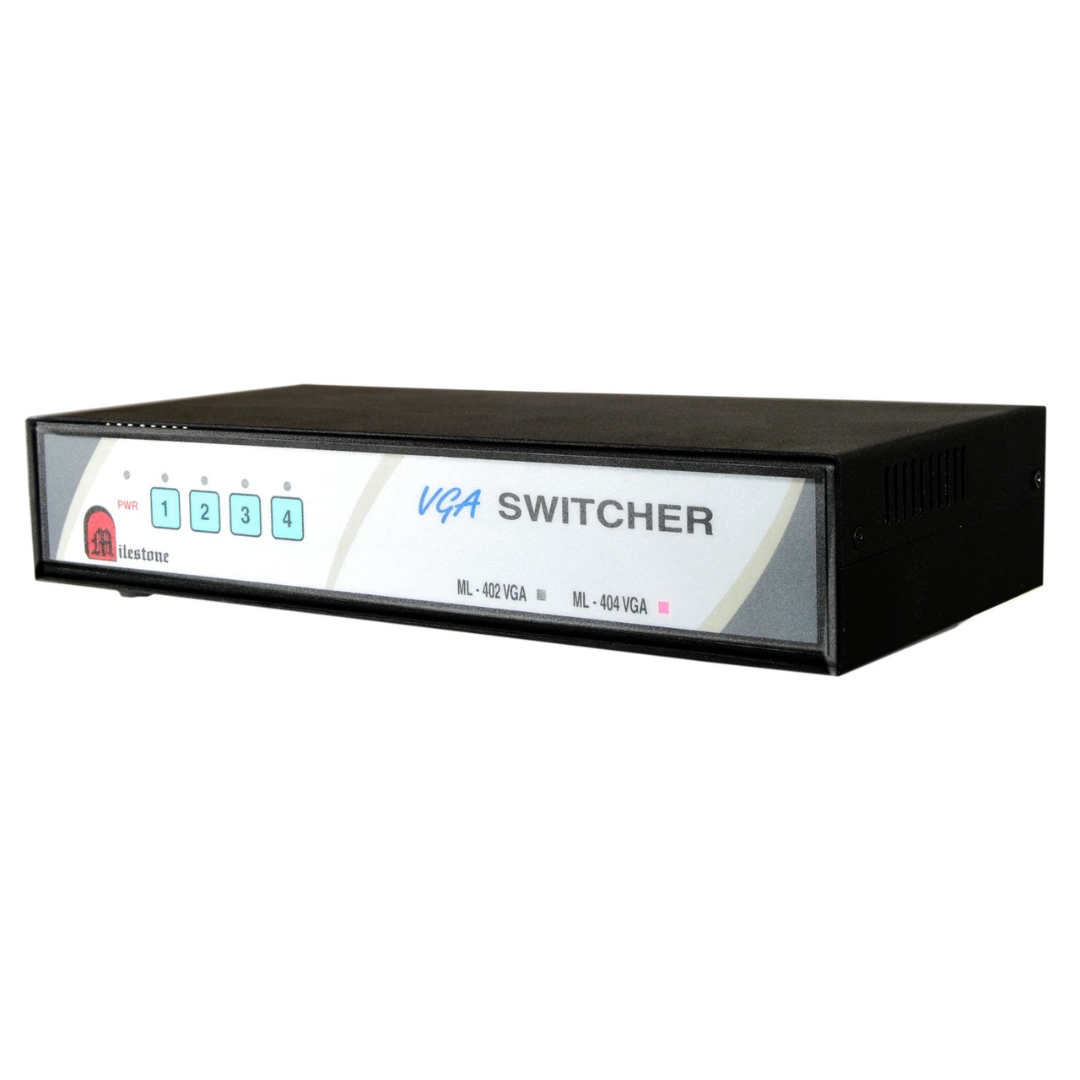
The ML 404 VGA Switcher connects four VGA input sources to four output displays,...
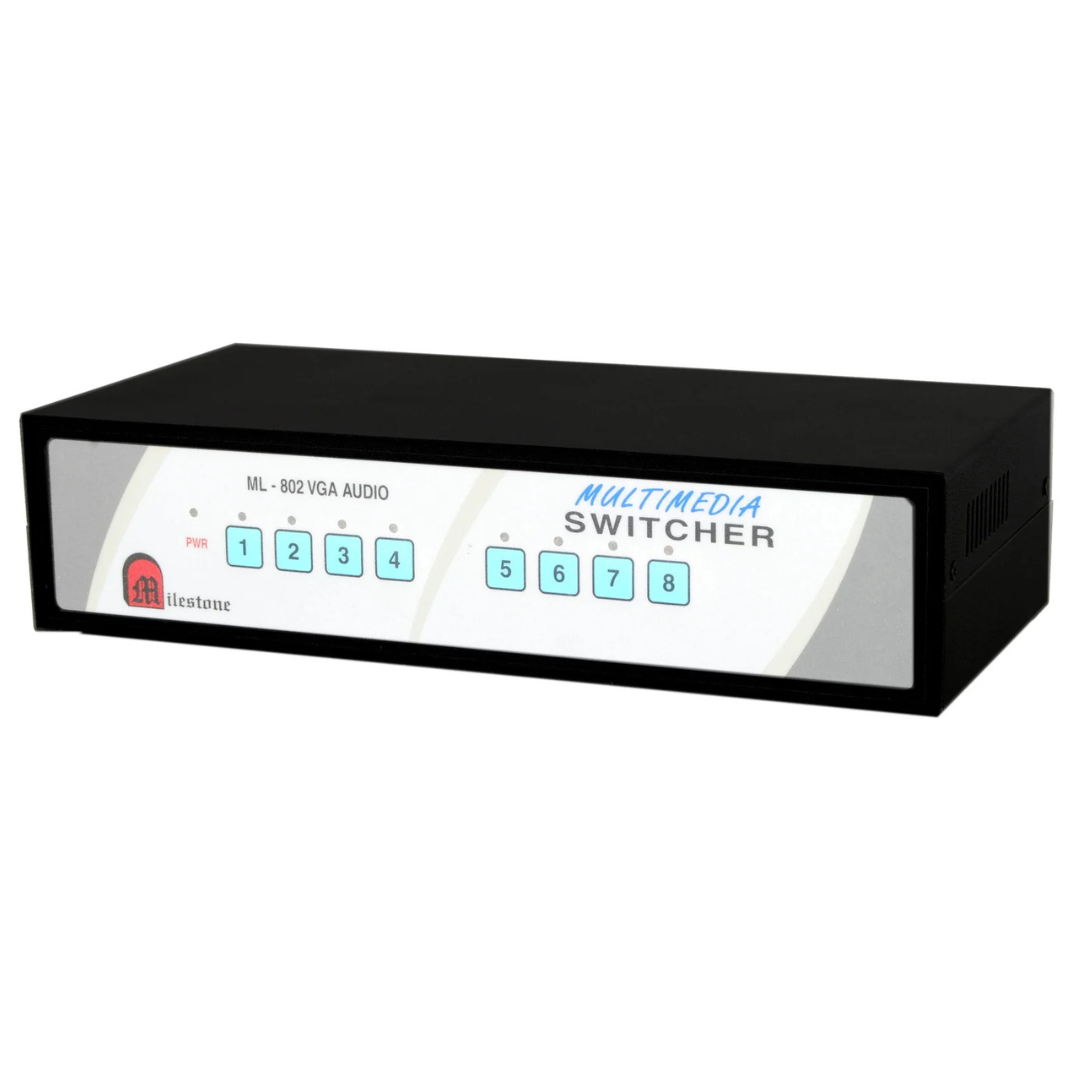
The ML 802 VGA Switcher connects up to eight computers or laptops and distributes...
Ready to order or have a specific requirement?
Our team responds within 24 hours. Bulk pricing, custom solutions, and pan-India delivery are available. Talk to an engineer directly about your setup.